New Paid
Digital Basic 7B Wear OS 4+
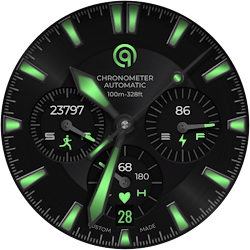
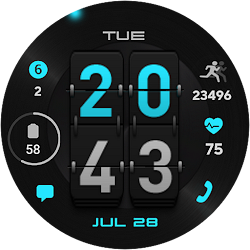
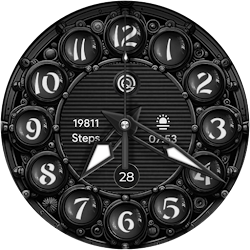
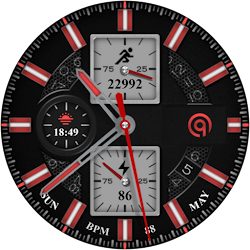
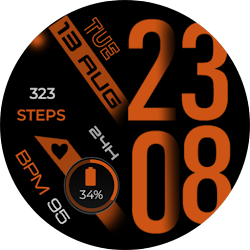
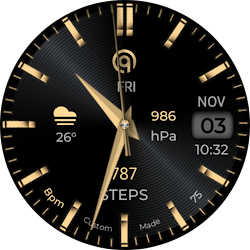
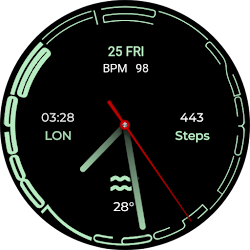
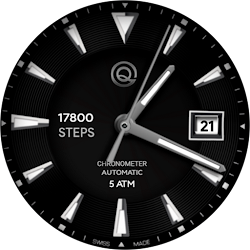
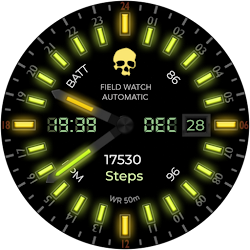
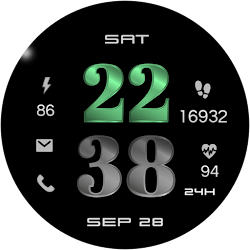
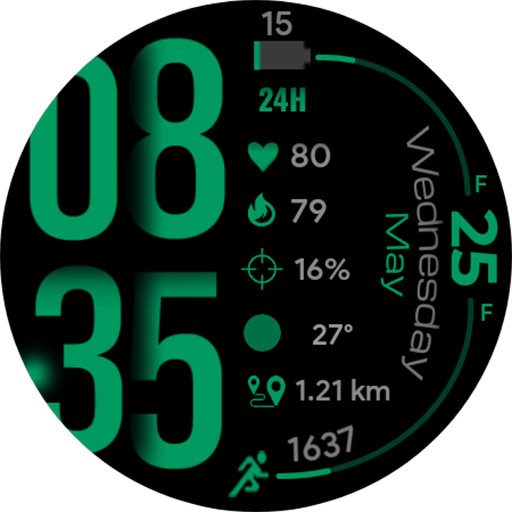
A watchface for Wear OS with all useful health data and many customizations.
Downloads1,000+
Total reviewsNo data available
Average scoreNo data available
Released on Google PlayMay 25, 2022
Last updated on Google PlayAug 16, 2024
DiscoveredJul 31, 2026
Last updatedAug 16, 2026
=======================================================
NOTICE: READ THIS ALWAYS BEFORE AND AFTER DOWNLOADING OUR WATCH FACE TO AVOID ANY SITUATION YOU DON'T LIKE.
=======================================================
This watch face for WEAR OS has been made in latest released Samsung Galaxy Watch face studio V 1.6.10 which is still evolving and has been tested on Samsung Watch 4 Classic , Samsung Watch 5 Pro, and Tic watch 5 Pro. It also supports all other wear OS 3+ devices. Some feature experience can be slightly different on other watches.
a. Visit this link to official Install Guide written by Tony Morelan. (Sr. Developer, Evangelist)For Wear OS Watch faces powered by Samsung Watch face Studio. It is very detailed and precise with graphical and image illustrations on How to install the watch face bundle part to your connected wear os watch.
link:-
https://developer.samsung.com/sdp/blog/en-us/2022/11/15/install-watch-faces-for-galaxy-watch5-and-one-ui-watch-45
b. A Big Thanks to Bredlix for source code of new helper app.
Link
https://github.com/bredlix/wf_companion_app
c. An effort also has been made to make a brief install guide as well (an image added with screen previews) .It is the last image in previews of this watch face for newbie android Wear OS users or those who do not know how to install the watch face to your connected device. So it is requested to also make an effort and read it before posting cannot install statements.
d. DO NOT PAY TWICE FROM WATCH PLAY STORE . Wait for your purchases to be synced or if you do not want to wait you can always select direct install to watch method without even helper app.Just ensure that you select your connected watch in install button drop down menu where your wearable device will be shown.Just simply ensure that when you install from phone play store app.
This Watch face for Wear OS has following features :-
1. Tap on Battery icon image to open Battery settings.
2. Many Color Styles available in Customization menu.
3. 2 x Types of Dim modes, Dim Data and Dim All options available
4. 3x user customizable complications are available in customization menu.
5. The rotating glow image denotes seconds in minutes.
6. Tap on Date Text to open alarm setting.
7. Tap on Month text to open calendar app.
8. Tap on Heart Rate Text or icon to open Heart Rate Counter in Samsung Health App.
NOTICE: READ THIS ALWAYS BEFORE AND AFTER DOWNLOADING OUR WATCH FACE TO AVOID ANY SITUATION YOU DON'T LIKE.
=======================================================
This watch face for WEAR OS has been made in latest released Samsung Galaxy Watch face studio V 1.6.10 which is still evolving and has been tested on Samsung Watch 4 Classic , Samsung Watch 5 Pro, and Tic watch 5 Pro. It also supports all other wear OS 3+ devices. Some feature experience can be slightly different on other watches.
a. Visit this link to official Install Guide written by Tony Morelan. (Sr. Developer, Evangelist)For Wear OS Watch faces powered by Samsung Watch face Studio. It is very detailed and precise with graphical and image illustrations on How to install the watch face bundle part to your connected wear os watch.
link:-
https://developer.samsung.com/sdp/blog/en-us/2022/11/15/install-watch-faces-for-galaxy-watch5-and-one-ui-watch-45
b. A Big Thanks to Bredlix for source code of new helper app.
Link
https://github.com/bredlix/wf_companion_app
c. An effort also has been made to make a brief install guide as well (an image added with screen previews) .It is the last image in previews of this watch face for newbie android Wear OS users or those who do not know how to install the watch face to your connected device. So it is requested to also make an effort and read it before posting cannot install statements.
d. DO NOT PAY TWICE FROM WATCH PLAY STORE . Wait for your purchases to be synced or if you do not want to wait you can always select direct install to watch method without even helper app.Just ensure that you select your connected watch in install button drop down menu where your wearable device will be shown.Just simply ensure that when you install from phone play store app.
This Watch face for Wear OS has following features :-
1. Tap on Battery icon image to open Battery settings.
2. Many Color Styles available in Customization menu.
3. 2 x Types of Dim modes, Dim Data and Dim All options available
4. 3x user customizable complications are available in customization menu.
5. The rotating glow image denotes seconds in minutes.
6. Tap on Date Text to open alarm setting.
7. Tap on Month text to open calendar app.
8. Tap on Heart Rate Text or icon to open Heart Rate Counter in Samsung Health App.
Follow OQ Watchfaces — new faces in your inbox
One email per day at most — a single digest of yesterday's newly indexed watch faces from all developers you follow. Double opt-in, one-click unsubscribe, nothing else ever.
More from OQ Watchfaces