New Paid
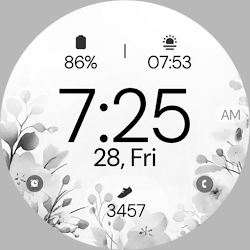
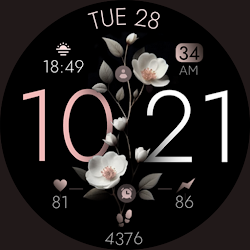
Battery 3 rose gold watch face
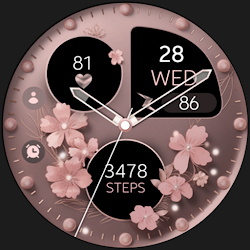
Rose gold digital minimal and elegant watch face for Wear OS
Downloads5,000+
Total reviewsNo data available
Average scoreNo data available
Released on Google PlayNov 23, 2022
Last updated on Google PlayJul 1, 2026
DiscoveredJul 31, 2026
Last updatedAug 17, 2026
Rose Gold Digital Watch Face for Wear OS - Galaxy Watch & Pixel Watch
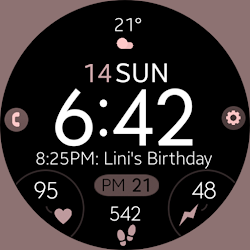
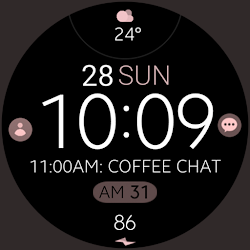
Clean, minimal, and all black - Battery 3 keeps your wrist simple and easy to read, with bold digital time. If you prefer a minimalist black face over busy, cluttered dials, this one keeps the focus on the time. Built with the Watch Face Format for round Wear OS smartwatches (API 33+), including Google Pixel Watch and Samsung Galaxy Watch 4, 5, 6, 7, 8 and Ultra. Not Suitable for Rectangular Watches
Functional features
- Built with Watch Face Format 4
- Day and Date
- Changeable colors
- Custom app shortcuts x2
- Stay up-to-date with 2 customizable complications
- AOD Mode
Compatible with all Wear OS devices API 33+.
Not Suitable for Rectangular Watches
How to Customize:
Long press the watch face center
Tap "Customize"
Tap any complication to change data (Weather, Steps, etc.)
Need Assistance?
- Installation Guide: https://www.monkeysdream.com/install-watch-face-wear-os
- Support: info@monkeysdream.com
Stay Connected:
- Website: https://www.monkeysdream.com
- Instagram: https://www.instagram.com/monkeysdreamofficial
- Newsletter: https://www.monkeysdream.com/newsletter
Clean, minimal, and all black - Battery 3 keeps your wrist simple and easy to read, with bold digital time. If you prefer a minimalist black face over busy, cluttered dials, this one keeps the focus on the time. Built with the Watch Face Format for round Wear OS smartwatches (API 33+), including Google Pixel Watch and Samsung Galaxy Watch 4, 5, 6, 7, 8 and Ultra. Not Suitable for Rectangular Watches
Functional features
- Built with Watch Face Format 4
- Day and Date
- Changeable colors
- Custom app shortcuts x2
- Stay up-to-date with 2 customizable complications
- AOD Mode
Compatible with all Wear OS devices API 33+.
Not Suitable for Rectangular Watches
How to Customize:
Long press the watch face center
Tap "Customize"
Tap any complication to change data (Weather, Steps, etc.)
Need Assistance?
- Installation Guide: https://www.monkeysdream.com/install-watch-face-wear-os
- Support: info@monkeysdream.com
Stay Connected:
- Website: https://www.monkeysdream.com
- Instagram: https://www.instagram.com/monkeysdreamofficial
- Newsletter: https://www.monkeysdream.com/newsletter
Follow Monkey's Dream — new faces in your inbox
One email per day at most — a single digest of yesterday's newly indexed watch faces from all developers you follow. Double opt-in, one-click unsubscribe, nothing else ever.
More from Monkey's Dream