New Paid
Classic informative Black 26
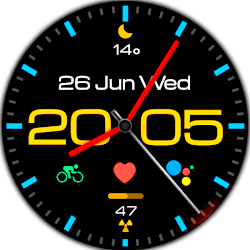
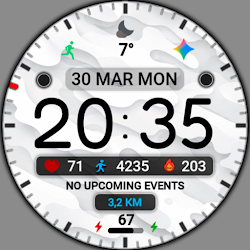
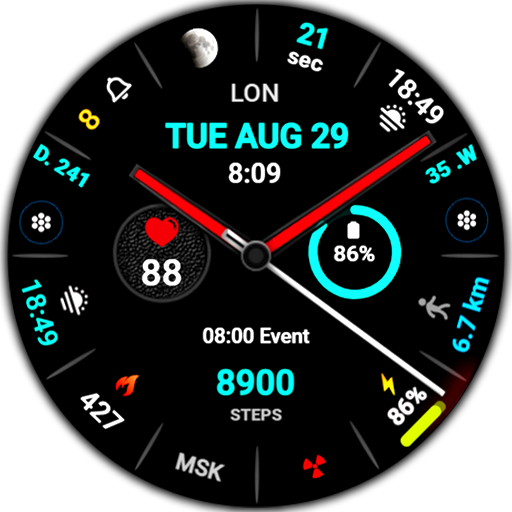
Classic black analog watch face for Wear OS
Downloads100+
Total reviewsNo data available
Average scoreNo data available
Released on Google PlayApr 28, 2026
Last updated on Google PlayApr 28, 2026
DiscoveredJun 21, 2026
Last updatedAug 17, 2026
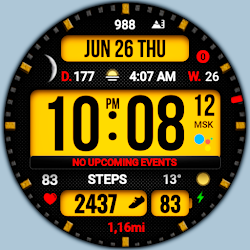
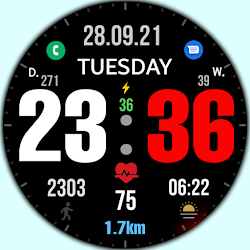
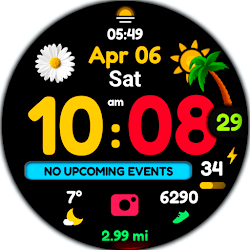
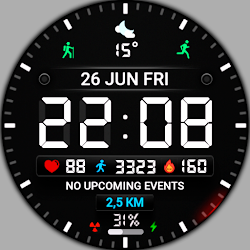
Minimalist black analog watch face for Wear OS, stylish, elegant, clean and informative design
This watch face supports all Wear OS devices with API level 30+, such as Samsung Galaxy Watch 4, 5, 6, 7, 8, Pixel Watch, etc.
Basic moments:
- 12/24 hour digital time (Depending on smartphone settings)
- A high resolution;
- Ability to change color
- Ability to change the background (Styles)
- Custom complications
- Display the number of the day of the year
- Display the week number of the year
- Moon phase display
- AOD mode (Full or minimum mode)
- NOTES FOR INSTALLING WATCH FACE -
If you have problems with installation, please follow the instructions: https://bit.ly/infWF
Settings
- To customize your watch face, simply touch and hold the display, then tap the Customize button.
- IMPORTANT - since there are many settings here, it is better to configure the watchface on the watch itself as shown in the video: https://youtu.be/YPcpvbxABiA
Support
- Contact srt48rus@gmail.com.
Check out my other watch faces in the Google Play store: https://bit.ly/WINwatchface
This watch face supports all Wear OS devices with API level 30+, such as Samsung Galaxy Watch 4, 5, 6, 7, 8, Pixel Watch, etc.
Basic moments:
- 12/24 hour digital time (Depending on smartphone settings)
- A high resolution;
- Ability to change color
- Ability to change the background (Styles)
- Custom complications
- Display the number of the day of the year
- Display the week number of the year
- Moon phase display
- AOD mode (Full or minimum mode)
- NOTES FOR INSTALLING WATCH FACE -
If you have problems with installation, please follow the instructions: https://bit.ly/infWF
Settings
- To customize your watch face, simply touch and hold the display, then tap the Customize button.
- IMPORTANT - since there are many settings here, it is better to configure the watchface on the watch itself as shown in the video: https://youtu.be/YPcpvbxABiA
Support
- Contact srt48rus@gmail.com.
Check out my other watch faces in the Google Play store: https://bit.ly/WINwatchface
Follow WinWatchfaces — new faces in your inbox
One email per day at most — a single digest of yesterday's newly indexed watch faces from all developers you follow. Double opt-in, one-click unsubscribe, nothing else ever.
More from WinWatchfaces