New Paid
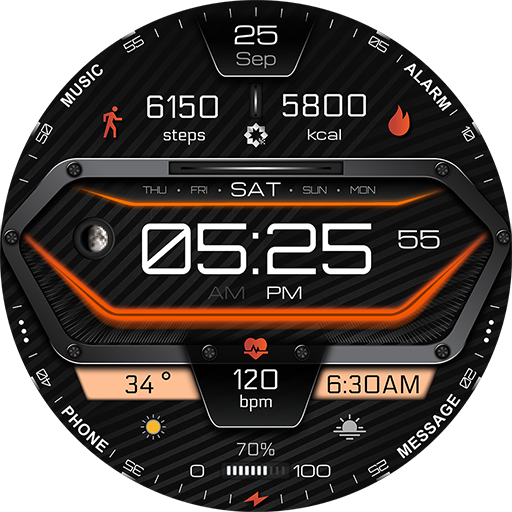
A380 Neon Wear OS Watch Face
by Yosash
Neon Wear OS watch face with steps, heart rate & customizable widgets
Downloads1,000+
Total reviewsNo data available
Average scoreNo data available
Released on Google PlayJan 1, 2022
Last updated on Google PlayAug 2, 2025
DiscoveredJun 21, 2026
Last updatedAug 18, 2026
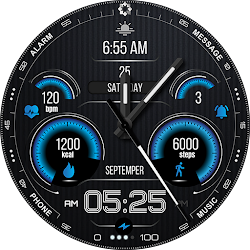
A380 Neon Watch Face for Wear OS
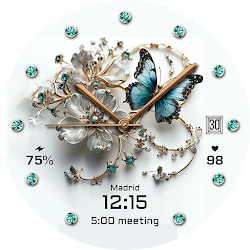
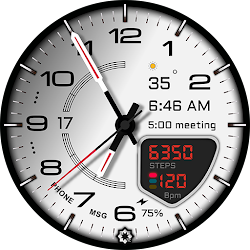
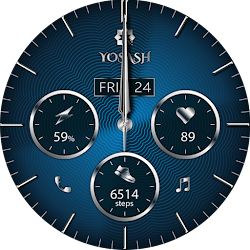
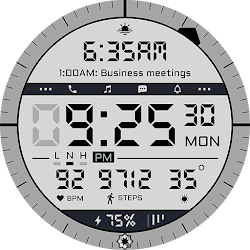
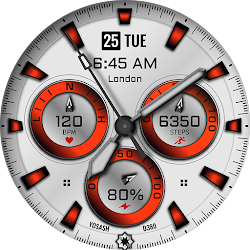
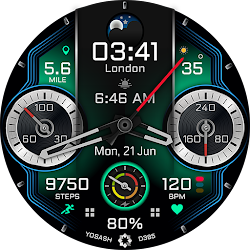
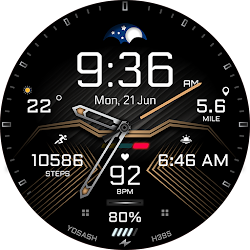
A bold neon design with health stats, quick actions, and customizable widgets for everyday use.
🔥 Key Features
• Digital time 12/24h
• Steps, calories & heart rate (tap to measure)
• Date, day, moon phase & battery level
• 2 customizable widgets (weather, sunrise, barometer, timezone…)
• Quick access: Phone, Messages, Music, Alarm
• Samsung Health & Google Fit shortcuts
• 2 custom app shortcuts
• Dynamic neon colors (long press → Customize)
📲 Compatibility
Works with all smartwatches running Wear OS 3.5+, including:
Samsung Galaxy Watch 4, 5, 6, 7, 8 & Ultra
Google Pixel Watch (1 & 2)
Fossil, TicWatch, and more Wear OS devices
⚙️ How to Install & Customize
Open Google Play Store on your watch and install directly
Long press the watch face → Customize → Set colors, hands & complications
🌐 Follow Us
Stay updated with new designs, offers, and giveaways:
📸 Instagram:
https://instagram.com/yosash.watch
🐦 Twitter/X:
https://x.com/yosash2
▶️ YouTube:
https://www.youtube.com/@yosash6013
📘 Facebook:
https://facebook.com/yosash.watch
💬 Telegram:
https://t.me/yosash_watch
🌍 Website:
https://yosash.watch
💬 Support
📧 yosash.group@gmail.com
A bold neon design with health stats, quick actions, and customizable widgets for everyday use.
🔥 Key Features
• Digital time 12/24h
• Steps, calories & heart rate (tap to measure)
• Date, day, moon phase & battery level
• 2 customizable widgets (weather, sunrise, barometer, timezone…)
• Quick access: Phone, Messages, Music, Alarm
• Samsung Health & Google Fit shortcuts
• 2 custom app shortcuts
• Dynamic neon colors (long press → Customize)
📲 Compatibility
Works with all smartwatches running Wear OS 3.5+, including:
Samsung Galaxy Watch 4, 5, 6, 7, 8 & Ultra
Google Pixel Watch (1 & 2)
Fossil, TicWatch, and more Wear OS devices
⚙️ How to Install & Customize
Open Google Play Store on your watch and install directly
Long press the watch face → Customize → Set colors, hands & complications
🌐 Follow Us
Stay updated with new designs, offers, and giveaways:
📸 Instagram:
https://instagram.com/yosash.watch
🐦 Twitter/X:
https://x.com/yosash2
▶️ YouTube:
https://www.youtube.com/@yosash6013
📘 Facebook:
https://facebook.com/yosash.watch
💬 Telegram:
https://t.me/yosash_watch
🌍 Website:
https://yosash.watch
💬 Support
📧 yosash.group@gmail.com
Follow Yosash — new faces in your inbox
One email per day at most — a single digest of yesterday's newly indexed watch faces from all developers you follow. Double opt-in, one-click unsubscribe, nothing else ever.
More from Yosash