New Paid
Elf Magical Girls Watch Face
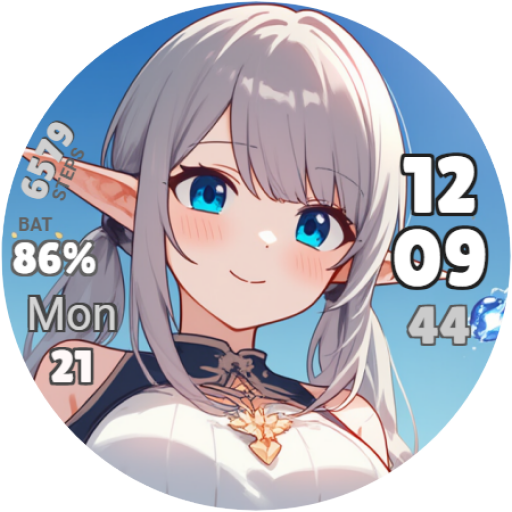
Elf magical girls watch face for Wear OS.
Downloads50+
Total reviewsNo data available
Average scoreNo data available
Released on Google PlayMay 1, 2025
Last updated on Google PlayJun 27, 2025
DiscoveredJun 24, 2026
Last updatedAug 15, 2026
Elf magical girls watch face for Wear OS.
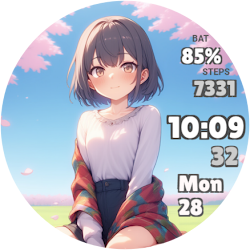
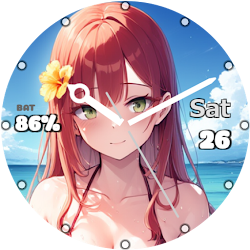
A different elf girl appears on each day of the week, and her expression changes when you exceed your target number of steps for that day.
The watch face displays hours, minutes, seconds, day of the week, date and steps.
How to change your step goal:
1. Open the Fitbit app on the smartphone that is paired with your WearOS smartwatch.
2. Tap "You" in the bottom right.
3. Tap "Show all" to the right of the "Goals" item.
4. Tap "Steps" and change the number of steps you want.
How to change the 12/24 hour format:
1. Open Setting on the smartphone that is paired with your WearOS smartwatch.
2. Tap "System."
3. Tap "Date and Time."
4. Tap "Use 24-hour format" to switch the setting. If you cannot switch, disable "Use default formats for language/region" and then switch.
A different elf girl appears on each day of the week, and her expression changes when you exceed your target number of steps for that day.
The watch face displays hours, minutes, seconds, day of the week, date and steps.
How to change your step goal:
1. Open the Fitbit app on the smartphone that is paired with your WearOS smartwatch.
2. Tap "You" in the bottom right.
3. Tap "Show all" to the right of the "Goals" item.
4. Tap "Steps" and change the number of steps you want.
How to change the 12/24 hour format:
1. Open Setting on the smartphone that is paired with your WearOS smartwatch.
2. Tap "System."
3. Tap "Date and Time."
4. Tap "Use 24-hour format" to switch the setting. If you cannot switch, disable "Use default formats for language/region" and then switch.
Follow Full Eyes Inc. — new faces in your inbox
One email per day at most — a single digest of yesterday's newly indexed watch faces from all developers you follow. Double opt-in, one-click unsubscribe, nothing else ever.
More from Full Eyes Inc.