New Free
Custom PhotoWear - WearOS6+
Personalize your Wear OS watch face with your own photos & memories.
Downloads1,000+
Total reviewsNo data available
Average scoreNo data available
Released on Google PlaySep 16, 2025
Last updated on Google PlaySep 26, 2025
DiscoveredJun 24, 2026
Last updatedAug 19, 2026
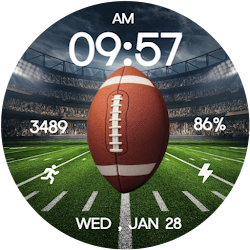
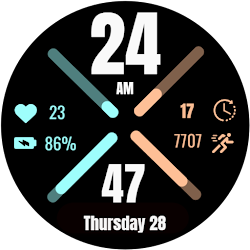
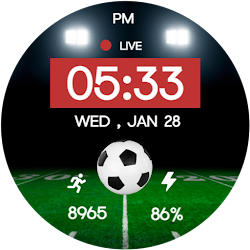
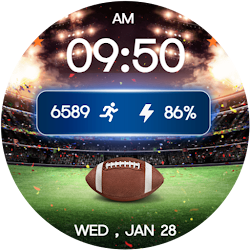
Make your smartwatch truly yours with the Custom PhotoWear -
WearOS6+ app—an advanced customizable photo watch face for Wear OS
devices. Upload your favorite photos, wallpapers, or memories and set
them as your watch face background while still enjoying all the
essential smartwatch functions. Perfect for users who love
personalization, creativity, and style in their wearable devices.
📸 Perfect For:
Anyone who wants a personalized, unique, and stylish smartwatch
experience with their own photos, wallpapers, or custom images.
🎉 Ideal for All Occasions:
Display family pictures, travel memories, seasonal themes, or your
favorite artwork right on your wrist—great for daily wear, special
events, or festive moments.
✨ Key Features:
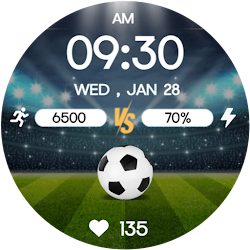
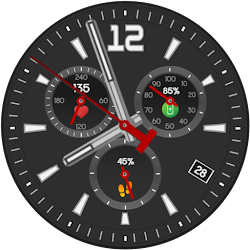
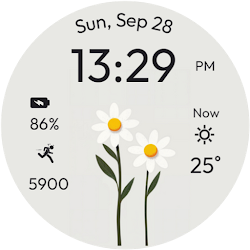
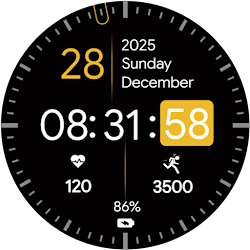
1.Custom Photo Backgrounds – Upload & display your own images.
2.Digital Display – Time, date.
3.Always-On Display (AOD) Support for easy readability.
4.Smooth & optimized performance on all Wear OS devices.
⚙️ Phone App Features:
The mobile app is a companion tool to help upload, install, and manage
your custom photo watch faces.
⚙️ Watch Face Features:
• 12/24h Digital Time
• Date & Day Display
• Custom Photo/Wallpaper Support
• Always-On Display (AOD)
📲 Installation Instructions:
1.Open the Companion App on your phone.
2.Tap "Install on Watch."
On your watch, select Custom PhotoWear - WearOS6+ from your
settings or gallery.
✅ Compatibility:
Works with all Wear OS 6+ devices (API 36+), including Google Pixel
Watch & Samsung Galaxy Watch.
❌ Not suitable for rectangular watches.
Bring your smartwatch to life with your own photos and enjoy a
stylish, personalized, and functional photo watch face every
day ! 🌟
WearOS6+ app—an advanced customizable photo watch face for Wear OS
devices. Upload your favorite photos, wallpapers, or memories and set
them as your watch face background while still enjoying all the
essential smartwatch functions. Perfect for users who love
personalization, creativity, and style in their wearable devices.
📸 Perfect For:
Anyone who wants a personalized, unique, and stylish smartwatch
experience with their own photos, wallpapers, or custom images.
🎉 Ideal for All Occasions:
Display family pictures, travel memories, seasonal themes, or your
favorite artwork right on your wrist—great for daily wear, special
events, or festive moments.
✨ Key Features:
1.Custom Photo Backgrounds – Upload & display your own images.
2.Digital Display – Time, date.
3.Always-On Display (AOD) Support for easy readability.
4.Smooth & optimized performance on all Wear OS devices.
⚙️ Phone App Features:
The mobile app is a companion tool to help upload, install, and manage
your custom photo watch faces.
⚙️ Watch Face Features:
• 12/24h Digital Time
• Date & Day Display
• Custom Photo/Wallpaper Support
• Always-On Display (AOD)
📲 Installation Instructions:
1.Open the Companion App on your phone.
2.Tap "Install on Watch."
On your watch, select Custom PhotoWear - WearOS6+ from your
settings or gallery.
✅ Compatibility:
Works with all Wear OS 6+ devices (API 36+), including Google Pixel
Watch & Samsung Galaxy Watch.
❌ Not suitable for rectangular watches.
Bring your smartwatch to life with your own photos and enjoy a
stylish, personalized, and functional photo watch face every
day ! 🌟
Follow Filmmotion Studio — new faces in your inbox
One email per day at most — a single digest of yesterday's newly indexed watch faces from all developers you follow. Double opt-in, one-click unsubscribe, nothing else ever.
More from Filmmotion Studio