New Paid
Liquid Glass Watch Face
by SageHuz
Sci-fi power-core watch face for Wear OS — steps, HR, battery & AOD
Downloads100+
Total reviewsNo data available
Average scoreNo data available
Released on Google PlayNov 29, 2025
Last updated on Google PlayAug 7, 2026
DiscoveredJun 26, 2026
Last updatedAug 18, 2026
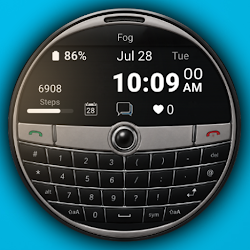
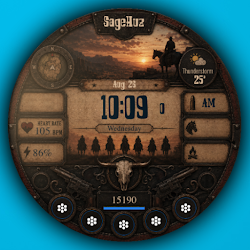
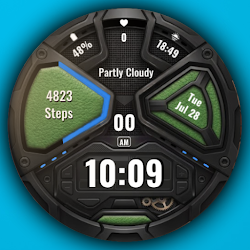
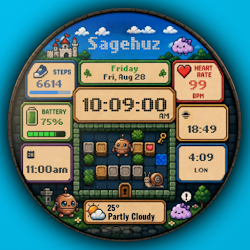
SageHuz – Liquid Glass Watch Face brings a soft, modern glass-style interface to your Wear OS smartwatch.
Inspired by floating glass panels and minimal UI design, this watch face focuses on clarity, calm visuals, and smooth daily interaction.
COMPATIBILITY
• Built for Wear OS smartwatches
• Works with Samsung Galaxy Watch, Google Pixel Watch, and other Wear OS devices
• Not compatible with Apple Watch or other non-Wear OS platforms
KEY FEATURES
• Always-On Display (AOD) optimized for AMOLED
• 4 progress bars: steps goal %, battery %, heart rate, 60-second ring
• Integrated date, steps, heart rate, and battery info
CUSTOMIZATION
• High-contrast dark tones with glowing accent colors
• Always-On Display (AOD) tuned for AMOLED to save battery
DAILY USE
• Date, steps, heart rate, and battery info without cluttering the design
• Clear layout for quick readability at a glance
HOW TO INSTALL
1. Open Google Play on your phone (or on your watch)
2. Tap Install and select your Wear OS watch if prompted
3. On the watch: long-press the watch face → Add watch face → Installed → choose this face
A distinctive Wear OS watch face for everyday wear and watch customization fans.
Inspired by floating glass panels and minimal UI design, this watch face focuses on clarity, calm visuals, and smooth daily interaction.
COMPATIBILITY
• Built for Wear OS smartwatches
• Works with Samsung Galaxy Watch, Google Pixel Watch, and other Wear OS devices
• Not compatible with Apple Watch or other non-Wear OS platforms
KEY FEATURES
• Always-On Display (AOD) optimized for AMOLED
• 4 progress bars: steps goal %, battery %, heart rate, 60-second ring
• Integrated date, steps, heart rate, and battery info
CUSTOMIZATION
• High-contrast dark tones with glowing accent colors
• Always-On Display (AOD) tuned for AMOLED to save battery
DAILY USE
• Date, steps, heart rate, and battery info without cluttering the design
• Clear layout for quick readability at a glance
HOW TO INSTALL
1. Open Google Play on your phone (or on your watch)
2. Tap Install and select your Wear OS watch if prompted
3. On the watch: long-press the watch face → Add watch face → Installed → choose this face
A distinctive Wear OS watch face for everyday wear and watch customization fans.
Follow SageHuz — new faces in your inbox
One email per day at most — a single digest of yesterday's newly indexed watch faces from all developers you follow. Double opt-in, one-click unsubscribe, nothing else ever.
More from SageHuz