New Free
Sporty Analog Watch Face
Stay active with the battery-friendly Sporty Analog Watch Face for Wear OS
Downloads1,000+
Total reviewsNo data available
Average scoreNo data available
Released on Google PlayDec 2, 2024
Last updated on Google PlayAug 1, 2026
DiscoveredJun 26, 2026
Last updatedAug 15, 2026
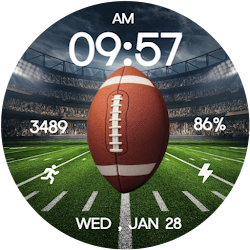
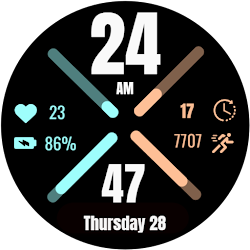
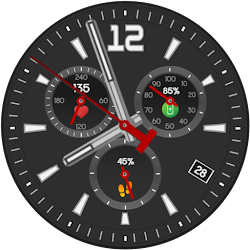
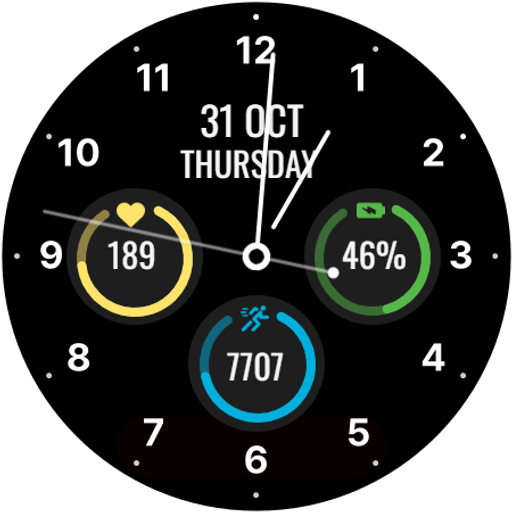
Stay fit and stylish with the battery-friendly Sporty Analog Watch Face for your Wear OS device! This watch face combines a sleek analog clock with essential fitness stats, helping you track your progress while optimizing battery life.
Monitor your step count, heart rate, and battery percentage, all displayed clearly. The design is modern and efficient, making sure your watch keeps up with your lifestyle without draining your battery.
⚙️ Watch Face Features
• Battery-friendly analog watch face
• Date & Day of the week.
• Heart Rate
• Battery %
• Steps Counter
• Color Variations
• Ambient Mode
• Always-on Display (AOD)
• Tap to measure heart rate
🔋 Battery
For better battery performance of the watch, we recommend disabling the "Always On Display" mode.
After installing the Sporty Analog Watch Face, follow these steps:
1.Open the Companion App on your phone.
2.Tap "Install on Watch".
3.On your watch, select the Sporty Analog Watch Face from your settings or watch face gallery.
Your watch face is now ready to use !
✅ Compatible with all Wear OS devices API 33+ including such as Google Pixel Watch, Samsung Galaxy Watch etc.
Not suitable for rectangular watches.
Thank you !
Monitor your step count, heart rate, and battery percentage, all displayed clearly. The design is modern and efficient, making sure your watch keeps up with your lifestyle without draining your battery.
⚙️ Watch Face Features
• Battery-friendly analog watch face
• Date & Day of the week.
• Heart Rate
• Battery %
• Steps Counter
• Color Variations
• Ambient Mode
• Always-on Display (AOD)
• Tap to measure heart rate
🔋 Battery
For better battery performance of the watch, we recommend disabling the "Always On Display" mode.
After installing the Sporty Analog Watch Face, follow these steps:
1.Open the Companion App on your phone.
2.Tap "Install on Watch".
3.On your watch, select the Sporty Analog Watch Face from your settings or watch face gallery.
Your watch face is now ready to use !
✅ Compatible with all Wear OS devices API 33+ including such as Google Pixel Watch, Samsung Galaxy Watch etc.
Not suitable for rectangular watches.
Thank you !
Follow Filmmotion Studio — new faces in your inbox
One email per day at most — a single digest of yesterday's newly indexed watch faces from all developers you follow. Double opt-in, one-click unsubscribe, nothing else ever.
More from Filmmotion Studio