New Free
Battery Saver Watch Face
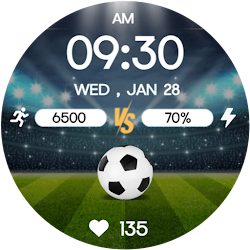
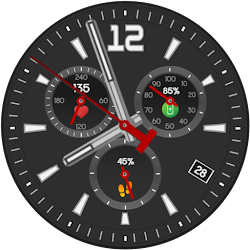
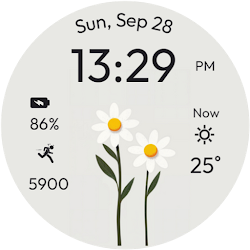
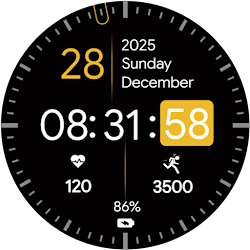
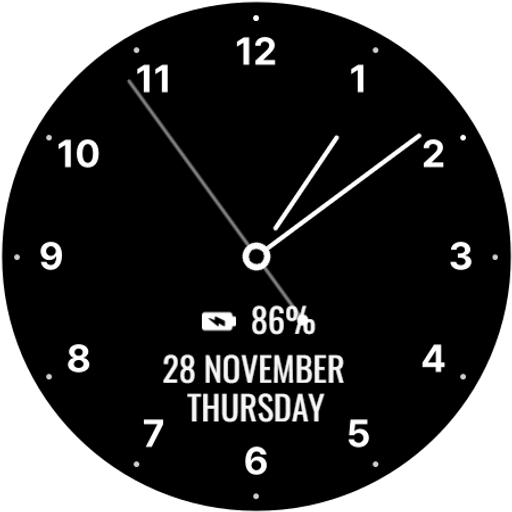
Analog watch face with minimalist design, saving battery and watch info.
Downloads50,000+
Total reviewsNo data available
Average scoreNo data available
Released on Google PlayDec 2, 2024
Last updated on Google PlayJul 25, 2026
DiscoveredJun 28, 2026
Last updatedAug 16, 2026
Optimize your Wear OS device's battery life with the Battery Saver Watch Face! Featuring a clean, minimalist analog design, this watch face is built to reduce power consumption while still displaying essential information like the time, date, day of the week, and battery percentage.
The simple design ensures your watch remains efficient, without sacrificing the functionality you need throughout the day. Ideal for users who prioritize extending battery life on their Wear OS devices.
Analog Clock , 5 Index Style.
Simple Analog Clock & Minimal Watch Face for Wear OS .
⚙️ Watch Face Features
• Optimize your Wear OS device's battery life
• Date, month and day of the week.
• Battery %
• Ambient Mode
• Always-on Display (AOD)
🔋 Battery
For better battery performance of the watch, we recommend disabling the "Always On Display" mode.
After installing the Battery Saver Watch Face, follow these steps:
Open the Companion App on your phone.
Tap "Install on Watch".
On your watch, select the Battery Saver Watch Face from your settings or watch face gallery.
Your watch face is now ready to use !
✅ Compatible with all Wear OS devices API 33+ including such as Google Pixel Watch, Samsung Galaxy Watch etc.
Not suitable for rectangular watches.
Thank you !
The simple design ensures your watch remains efficient, without sacrificing the functionality you need throughout the day. Ideal for users who prioritize extending battery life on their Wear OS devices.
Analog Clock , 5 Index Style.
Simple Analog Clock & Minimal Watch Face for Wear OS .
⚙️ Watch Face Features
• Optimize your Wear OS device's battery life
• Date, month and day of the week.
• Battery %
• Ambient Mode
• Always-on Display (AOD)
🔋 Battery
For better battery performance of the watch, we recommend disabling the "Always On Display" mode.
After installing the Battery Saver Watch Face, follow these steps:
Open the Companion App on your phone.
Tap "Install on Watch".
On your watch, select the Battery Saver Watch Face from your settings or watch face gallery.
Your watch face is now ready to use !
✅ Compatible with all Wear OS devices API 33+ including such as Google Pixel Watch, Samsung Galaxy Watch etc.
Not suitable for rectangular watches.
Thank you !
Follow Filmmotion Studio — new faces in your inbox
One email per day at most — a single digest of yesterday's newly indexed watch faces from all developers you follow. Double opt-in, one-click unsubscribe, nothing else ever.
More from Filmmotion Studio