New Paid
Oogly Vector X
Dynamic futuristic watch face with flowing light and rich customization options
Downloads500+
Total reviewsNo data available
Average scoreNo data available
Released on Google PlayFeb 10, 2026
Last updated on Google PlayFeb 10, 2026
DiscoveredJun 30, 2026
Last updatedAug 18, 2026
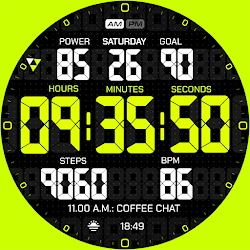
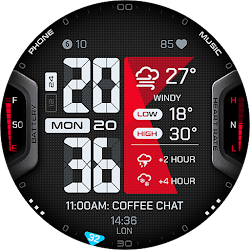
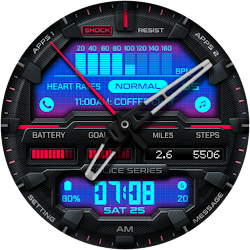
A bold, futuristic watch face crafted to bring energy, clarity, and personality to your Wear OS device. Dynamic lighting flows seamlessly across the display, turning time, day, and date into a living visual experience that feels modern, fluid, and effortlessly readable.
Every movement feels smooth and intentional, with subtle light animations enhancing the hour and minute for a sleek, high-tech presence. Want a cleaner, more minimal look? Animations and seconds can be turned on or off anytime to match your mood and daily rhythm.
Features
12 / 24-hour time format
Smooth, mesmerizing light animation across hour, minute, day, and date
Animated effects toggle (ON / OFF)
Optional animated seconds display (ON / OFF)
Multi-style color themes
Customizable information fields
Always-On Display (AOD) support
A modern digital experience on your wrist—dynamic, expressive, and built to stand out every day. Designed for WEAR OS API 34+
After few minutes, find the watch face on the watch. It is not automatically shown on the main list. Open the watch face list (tap and hold current active watch face) then scroll to the far right. Tap add watch face and find it there.
If you still have problem, contact us at :
ooglywatchface@gmail.com
or on our official telegram @OoglyWatchfaceCommunity
Every movement feels smooth and intentional, with subtle light animations enhancing the hour and minute for a sleek, high-tech presence. Want a cleaner, more minimal look? Animations and seconds can be turned on or off anytime to match your mood and daily rhythm.
Features
12 / 24-hour time format
Smooth, mesmerizing light animation across hour, minute, day, and date
Animated effects toggle (ON / OFF)
Optional animated seconds display (ON / OFF)
Multi-style color themes
Customizable information fields
Always-On Display (AOD) support
A modern digital experience on your wrist—dynamic, expressive, and built to stand out every day. Designed for WEAR OS API 34+
After few minutes, find the watch face on the watch. It is not automatically shown on the main list. Open the watch face list (tap and hold current active watch face) then scroll to the far right. Tap add watch face and find it there.
If you still have problem, contact us at :
ooglywatchface@gmail.com
or on our official telegram @OoglyWatchfaceCommunity
Follow Oogly Watch Face — new faces in your inbox
One email per day at most — a single digest of yesterday's newly indexed watch faces from all developers you follow. Double opt-in, one-click unsubscribe, nothing else ever.
More from Oogly Watch Face