New Paid
PRIDE RAINBOW Watch Face
Pride - Rainbow - Love - Watch Face for Wear OS
Downloads1,000+
Total reviewsNo data available
Average scoreNo data available
Released on Google PlayJun 14, 2023
Last updated on Google PlayJun 16, 2026
DiscoveredJul 4, 2026
Last updatedAug 20, 2026
Telegram Channel
https://t.me/pradodesign
Only for Wear OS devices API 30+
ATTENTION
If you see the message "Your devices are not compatible", go to the Play Store in your browser.
BUY 1 GET 1
https://pradodesignbr.com/BOGO
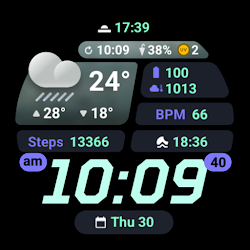
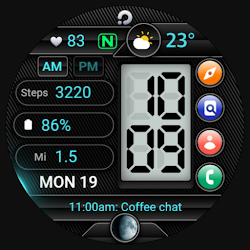
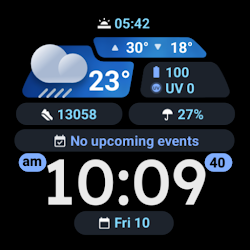
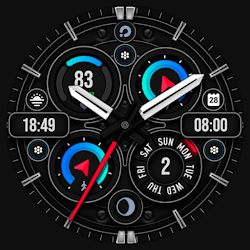
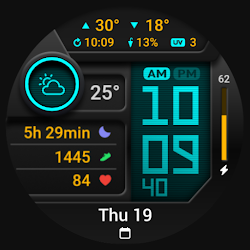
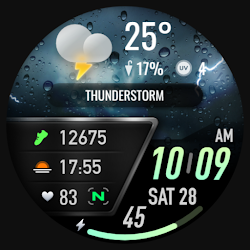
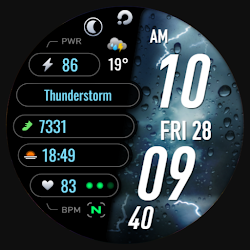
Features:
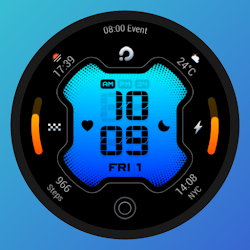
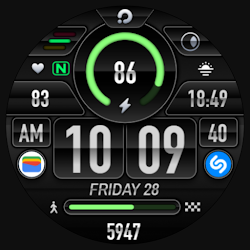
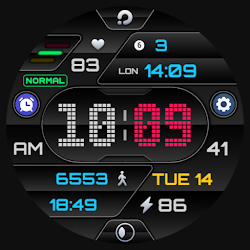
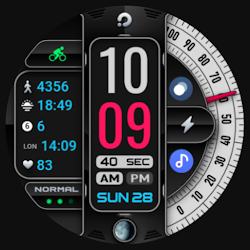
1. 12h/24h based on your phone settings
2. Step counter
3. Heart Rate
4. Battery Level
5. Moon Phases
6. Date
7. 3 Customizable Complications
8. Changeable background and colors
9. Always On Display
10. Shortcuts
Touch and hold the display to customize your watch face.
For full functionality please manually enable sensors and receive complication data permissions!
SETTING WEATHER COMPLICATION
Press and hold the center of the watch > customize > choose a major complication and choose your weather complication provider.
The weather app needs to have the weather location set before it can set a complication.
We recommend the SimpleWeather app
https://play.google.com/store/apps/details?id=com.thewizrd.simpleweather
HEART RATE
Allow access to heart rate after installing the watch face.
The shortcut does not open the Heart Rate app, but starts the measurement.
Tap the heart icon to start measuring heart rate.
Make sure the watch screen is turned on and that you are wearing it correctly on your wrist when measuring your heart rate.
Newsletter
Sign up to stay updated with new watch faces and promotions!
https://stats.sender.net/forms/bYgPKe/view
Website
https://pradodesignbr.com
Instagram
https://www.instagram.com/pradodesignbr
Facebook
https://www.facebook.com/pradodesignbr
https://t.me/pradodesign
Only for Wear OS devices API 30+
ATTENTION
If you see the message "Your devices are not compatible", go to the Play Store in your browser.
BUY 1 GET 1
https://pradodesignbr.com/BOGO
Features:
1. 12h/24h based on your phone settings
2. Step counter
3. Heart Rate
4. Battery Level
5. Moon Phases
6. Date
7. 3 Customizable Complications
8. Changeable background and colors
9. Always On Display
10. Shortcuts
Touch and hold the display to customize your watch face.
For full functionality please manually enable sensors and receive complication data permissions!
SETTING WEATHER COMPLICATION
Press and hold the center of the watch > customize > choose a major complication and choose your weather complication provider.
The weather app needs to have the weather location set before it can set a complication.
We recommend the SimpleWeather app
https://play.google.com/store/apps/details?id=com.thewizrd.simpleweather
HEART RATE
Allow access to heart rate after installing the watch face.
The shortcut does not open the Heart Rate app, but starts the measurement.
Tap the heart icon to start measuring heart rate.
Make sure the watch screen is turned on and that you are wearing it correctly on your wrist when measuring your heart rate.
Newsletter
Sign up to stay updated with new watch faces and promotions!
https://stats.sender.net/forms/bYgPKe/view
Website
https://pradodesignbr.com
https://www.instagram.com/pradodesignbr
https://www.facebook.com/pradodesignbr
Follow PRADO DESIGN ® Watch Faces — new faces in your inbox
One email per day at most — a single digest of yesterday's newly indexed watch faces from all developers you follow. Double opt-in, one-click unsubscribe, nothing else ever.
More from PRADO DESIGN ® Watch Faces