New Paid
Summer Magic
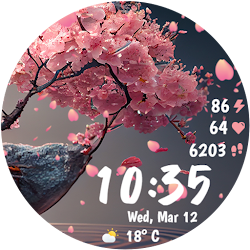
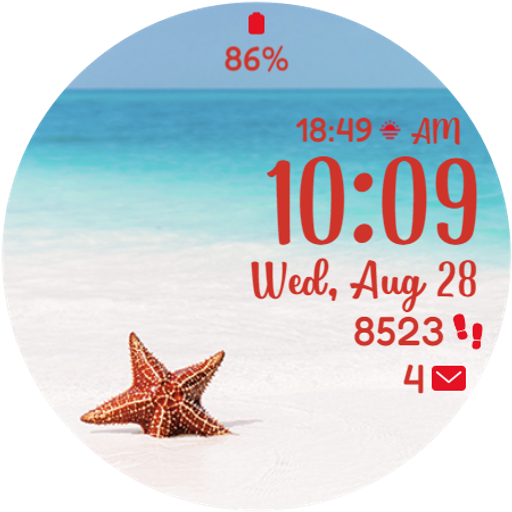
Gorgeous Summer watchface with 10 fabulous backgrounds, 30 color themes and more
Downloads1,000+
Total reviewsNo data available
Average scoreNo data available
Released on Google PlayJun 15, 2023
Last updated on Google PlayAug 12, 2025
DiscoveredJul 5, 2026
Last updatedAug 15, 2026
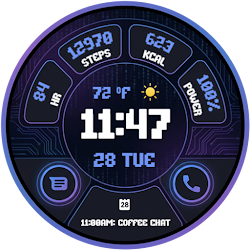
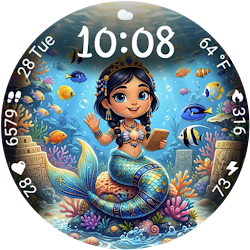
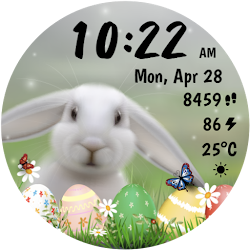
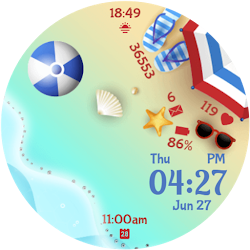
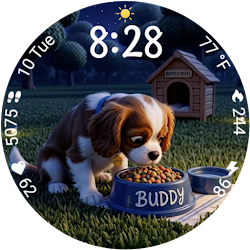
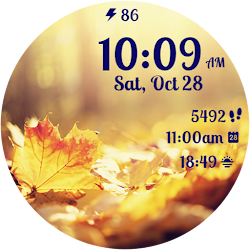
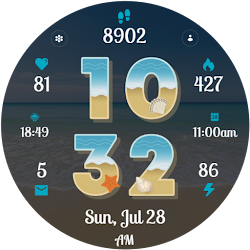
Introducing Summer Magic for Wear OS, a stunning Summer themed watchface, the perfect accessory for the season! This watchface features 10 fabulous summer backgrounds, each more breathtaking than the last. With its vibrant colors and intricate designs, this watchface is sure to turn heads and brighten up any outfit.
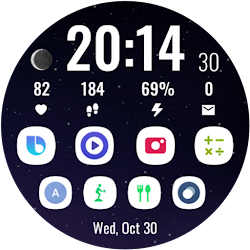
But this watchface isn't just about looks - it's also packed with advanced health data features to help you keep track of your fitness goals. With 3 customizable complications and 2 default complications, you can easily access important health data such as your steps, right from your wrist and further customized the health data shown. And with 2 customizable shortcuts, you can quickly launch your favorite health and fitness apps, making it easier than ever to stay on top of your wellness routine.
But that's not all - this watchface is also a work of art. Each background has been carefully crafted to bring the beauty of Summer to life on your wrist, and with 10 different options to choose from, you can switch up your look as often as you like. Whether you're out for a run, at work, or just enjoying a sunny day, this watchface will help you stay stylish and healthy all season long.
So don't wait - upgrade your watch today with this amazing Summer themed watchface, and experience the perfect combination of fashion and function. With its advanced health data features, customizable complications, and gorgeous Summer backgrounds, this watchface is sure to become your new favorite accessory!
To customize the watchface:
1. Press and hold on the display
2. Tap the Customize button to change the background image, the colors for time, date and stats, data for complications to display and the apps to launch with the custom shortcuts.
Customize the watchface as you wish: choose the background you like the most, choose the best looking color theme for time, date and stats, select the data you want for the 3 customizable complications, select your desired apps to launch using the 2 customizable shortcuts and enjoy using the watchface! Check the screenshots from the store listing to better understand where the shortcuts are placed.
Don't forget: use the companion app on your phone to discover other amazing watchfaces made by us!
If you have issues installing the watchface, Samsung provided a detailed tutorial here: https://developer.samsung.com/sdp/blog/en-us/2022/11/15/install-watch-faces-for-galaxy-watch5-and-one-ui-watch-45
The complication can display*:
- Weather
- Feels like temp
- Barometer
- Bixby
- Calendar
- Call History
- Reminder
- Steps
- Date and weather
- Sunrise/sunset
- Alarm
- Stopwatch
- World Clock
- Battery
- Unread notifications
To display the data you want, tap and hold on the display, then press the Customize button and choose the data you want for the 2 complications.
* these functions are device dependent and might not be available on all watches
To display the shortcut you want, tap and hold on the display, then press the Customize button and choose the shortcut you want for the 2 customizable shortcut slots.
For more watchfaces, visit our website.
Enjoy!
But this watchface isn't just about looks - it's also packed with advanced health data features to help you keep track of your fitness goals. With 3 customizable complications and 2 default complications, you can easily access important health data such as your steps, right from your wrist and further customized the health data shown. And with 2 customizable shortcuts, you can quickly launch your favorite health and fitness apps, making it easier than ever to stay on top of your wellness routine.
But that's not all - this watchface is also a work of art. Each background has been carefully crafted to bring the beauty of Summer to life on your wrist, and with 10 different options to choose from, you can switch up your look as often as you like. Whether you're out for a run, at work, or just enjoying a sunny day, this watchface will help you stay stylish and healthy all season long.
So don't wait - upgrade your watch today with this amazing Summer themed watchface, and experience the perfect combination of fashion and function. With its advanced health data features, customizable complications, and gorgeous Summer backgrounds, this watchface is sure to become your new favorite accessory!
To customize the watchface:
1. Press and hold on the display
2. Tap the Customize button to change the background image, the colors for time, date and stats, data for complications to display and the apps to launch with the custom shortcuts.
Customize the watchface as you wish: choose the background you like the most, choose the best looking color theme for time, date and stats, select the data you want for the 3 customizable complications, select your desired apps to launch using the 2 customizable shortcuts and enjoy using the watchface! Check the screenshots from the store listing to better understand where the shortcuts are placed.
Don't forget: use the companion app on your phone to discover other amazing watchfaces made by us!
If you have issues installing the watchface, Samsung provided a detailed tutorial here: https://developer.samsung.com/sdp/blog/en-us/2022/11/15/install-watch-faces-for-galaxy-watch5-and-one-ui-watch-45
The complication can display*:
- Weather
- Feels like temp
- Barometer
- Bixby
- Calendar
- Call History
- Reminder
- Steps
- Date and weather
- Sunrise/sunset
- Alarm
- Stopwatch
- World Clock
- Battery
- Unread notifications
To display the data you want, tap and hold on the display, then press the Customize button and choose the data you want for the 2 complications.
* these functions are device dependent and might not be available on all watches
To display the shortcut you want, tap and hold on the display, then press the Customize button and choose the shortcut you want for the 2 customizable shortcut slots.
For more watchfaces, visit our website.
Enjoy!
Follow StarWatchfaces — new faces in your inbox
One email per day at most — a single digest of yesterday's newly indexed watch faces from all developers you follow. Double opt-in, one-click unsubscribe, nothing else ever.
More from StarWatchfaces