New Paid
Moepaw LED 2 Watch Face
by Moepaw
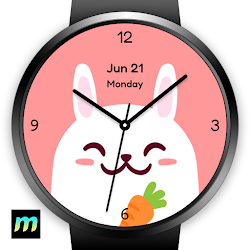
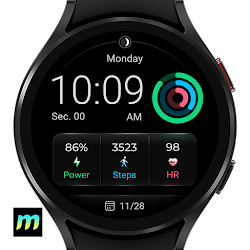
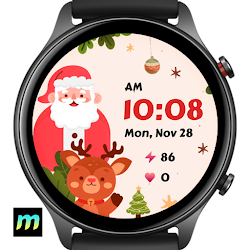
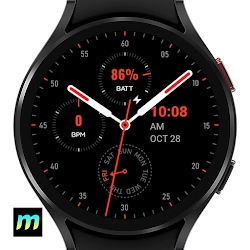
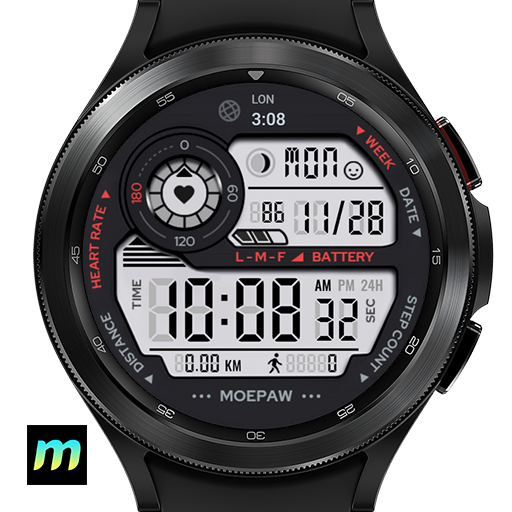
Gorgeous LED watch face for Wear OS.
Downloads500+
Total reviewsNo data available
Average scoreNo data available
Released on Google PlayDec 28, 2022
Last updated on Google PlayAug 19, 2023
DiscoveredJul 6, 2026
Last updatedAug 17, 2026
Displays:
- Date.
- Digtal time.
- Moon phases.
- Day of week.
- Step count.
- Heart rate indicator.
- Battery level.
- World clock.
Searhing "Moepaw" on Play Store to view all my watch faces.
Installation:
- Download directly to your watch: select your watch device from the "INSTALL" drop-down menu.
- Use the companion app: download this app on your phone and connect to your watch, tap the "INSTALL" button.
How to apply the watch face:
- After installation, long press on the clock screen on your watch, scroll right and tap the add button, you will see a list of all watch faces insatlled on your watch, then you can choose the watch face to add and apply.
- If your watch is a Samsung Galaxy Watch, you can also change it from Galaxy Wearable > Watch faces.
Attention:
- This watch face designed for smartwatches running on Watch OS 2.0(API 28+) and above.
- For full functionality of all indicators, please grant all permissions after installation.
- Some shortcut functions may depend on the device you are using, as some apps may not work on certain devices, such as Heart Rate Monitor and Music player etc.
- If you have some issues or ideas, you can contact us on:
Discord: https://discord.gg/qBf7AFPxzD
Instagram: https://www.instagram.com/moepaw_wfs
Twitter: https://twitter.com/moepaw_wfs
If you like this watch face, please download and leave a comment to support creating more pretty watch faces.
- Date.
- Digtal time.
- Moon phases.
- Day of week.
- Step count.
- Heart rate indicator.
- Battery level.
- World clock.
Searhing "Moepaw" on Play Store to view all my watch faces.
Installation:
- Download directly to your watch: select your watch device from the "INSTALL" drop-down menu.
- Use the companion app: download this app on your phone and connect to your watch, tap the "INSTALL" button.
How to apply the watch face:
- After installation, long press on the clock screen on your watch, scroll right and tap the add button, you will see a list of all watch faces insatlled on your watch, then you can choose the watch face to add and apply.
- If your watch is a Samsung Galaxy Watch, you can also change it from Galaxy Wearable > Watch faces.
Attention:
- This watch face designed for smartwatches running on Watch OS 2.0(API 28+) and above.
- For full functionality of all indicators, please grant all permissions after installation.
- Some shortcut functions may depend on the device you are using, as some apps may not work on certain devices, such as Heart Rate Monitor and Music player etc.
- If you have some issues or ideas, you can contact us on:
Discord: https://discord.gg/qBf7AFPxzD
Instagram: https://www.instagram.com/moepaw_wfs
Twitter: https://twitter.com/moepaw_wfs
If you like this watch face, please download and leave a comment to support creating more pretty watch faces.
Follow Moepaw — new faces in your inbox
One email per day at most — a single digest of yesterday's newly indexed watch faces from all developers you follow. Double opt-in, one-click unsubscribe, nothing else ever.
More from Moepaw