New Paid
Cyberpunk Neon Watch Face
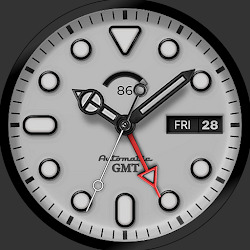
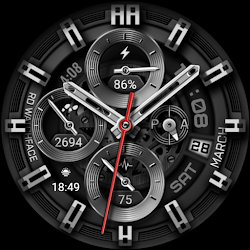
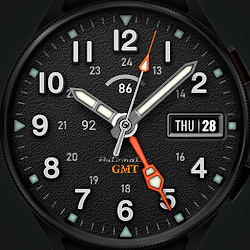
Neon Cyberpunk Watch Face Futuristic themes, customizable Neon, AOD for Wear OS
Downloads500+
Total reviewsNo data available
Average scoreNo data available
Released on Google PlayJul 20, 2025
Last updated on Google PlayAug 7, 2026
DiscoveredJul 6, 2026
Last updatedAug 15, 2026
Immerse yourself in neon-lit cyberpunk vibes! Customize colors, complications, AOD modes, and progress bars for steps, battery, heart rate & weather. Perfect for Wear OS 5+ smartwatches (Pixel Watch, Galaxy Watch, etc.). Easy installation via companion app.
Please note:
make sure your watch device is connected to your smartphone with the same account.
installation :
1. Keep your watch connected to your phone.
2. Instal/update watch face with companion app on your phone, and check on your watch then choose instal or update.
Customization available:
- 3 x Complication slot
- 2 x open apps shortcut
- 3 x links to widget
- lots of color themes
- 3 x AOD mode
Features:
- 12 / 24 hours ( sync with your device/smartphone )
- AM/PM
- Battery life with progressbar
- Heartrate with progressbar
- Date
- Weather with temperatur
- steps count and Steps progressbar
Color adjustments and customization :
1. press and hold finger on the watch display.
2. press the button to adjust.
3. Swipe left or right to switch between the different customizable items.
4. Swipe up or down to change the options/color of the items.
For support and request, you can email me at dekove.dev@gmail.com
Please note:
make sure your watch device is connected to your smartphone with the same account.
installation :
1. Keep your watch connected to your phone.
2. Instal/update watch face with companion app on your phone, and check on your watch then choose instal or update.
Customization available:
- 3 x Complication slot
- 2 x open apps shortcut
- 3 x links to widget
- lots of color themes
- 3 x AOD mode
Features:
- 12 / 24 hours ( sync with your device/smartphone )
- AM/PM
- Battery life with progressbar
- Heartrate with progressbar
- Date
- Weather with temperatur
- steps count and Steps progressbar
Color adjustments and customization :
1. press and hold finger on the watch display.
2. press the button to adjust.
3. Swipe left or right to switch between the different customizable items.
4. Swipe up or down to change the options/color of the items.
For support and request, you can email me at dekove.dev@gmail.com
Follow RD Watch Face — new faces in your inbox
One email per day at most — a single digest of yesterday's newly indexed watch faces from all developers you follow. Double opt-in, one-click unsubscribe, nothing else ever.
More from RD Watch Face