New Paid
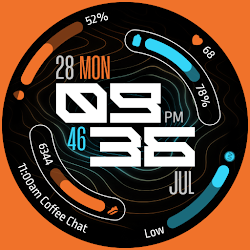
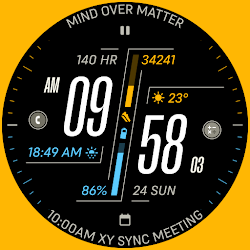
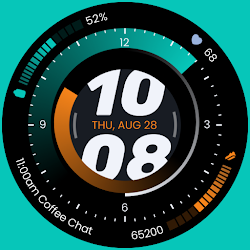
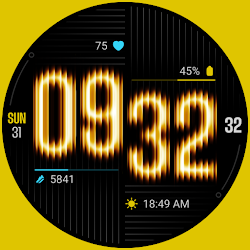
TKS 35 Sonar Watch Face
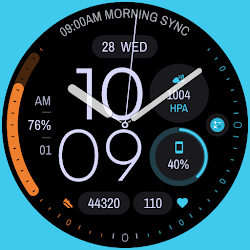
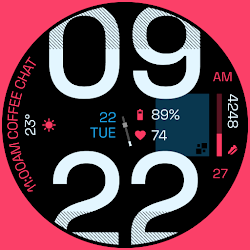
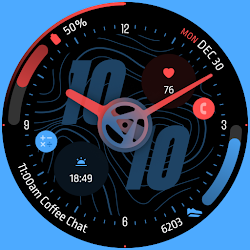
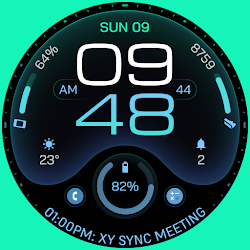
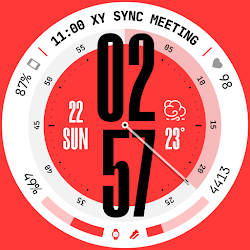
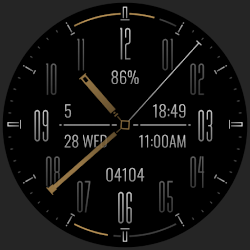
Sonar: A Hybrid, full of information and highly customizable watch face
Downloads500+
Total reviewsNo data available
Average scoreNo data available
Released on Google PlayNov 15, 2025
Last updated on Google PlayJun 6, 2026
DiscoveredJul 2, 2026
Last updatedAug 15, 2026
Sonar: A highly Customizable Hybrid Wear OS Watch Face. Featuring 6 Customizable Complications, 1 App Shortcut, and 30 Color Palettes..
Key Features:
- Hybrid Watch Face (Analog and Digital)
- 30 Color Palettes.
- 2 styles for clock hands.
- AOD Mode With 3 Styles: Informative, Hide Complications, and Minimal.
- 2 index styles.
- 12/24 Hour Time Format Support.
- 6 Customizable Complications: 3 Circular Complications and 1 Long-Text Complication for Calendar Events
- 1 App Shortcut.
How to Install and Apply the Watch Face:
1. Ensure your smartwatch is selected during purchase.
2. Install the optional companion app on your phone (if desired).
3. Long press your watch display, swipe through available faces, tap "+", and select TKS 35 Sonar Watch Face.
Note for Pixel Watch Users:
If steps or heart rate counters freeze after customization, switch to another watch face and back to reset the counters.
Ran into any issues or need a hand? We're happy to help! Just send us an email at dev.tinykitchenstudios@gmail.com
Key Features:
- Hybrid Watch Face (Analog and Digital)
- 30 Color Palettes.
- 2 styles for clock hands.
- AOD Mode With 3 Styles: Informative, Hide Complications, and Minimal.
- 2 index styles.
- 12/24 Hour Time Format Support.
- 6 Customizable Complications: 3 Circular Complications and 1 Long-Text Complication for Calendar Events
- 1 App Shortcut.
How to Install and Apply the Watch Face:
1. Ensure your smartwatch is selected during purchase.
2. Install the optional companion app on your phone (if desired).
3. Long press your watch display, swipe through available faces, tap "+", and select TKS 35 Sonar Watch Face.
Note for Pixel Watch Users:
If steps or heart rate counters freeze after customization, switch to another watch face and back to reset the counters.
Ran into any issues or need a hand? We're happy to help! Just send us an email at dev.tinykitchenstudios@gmail.com
Follow Tiny Kitchen Studios — new faces in your inbox
One email per day at most — a single digest of yesterday's newly indexed watch faces from all developers you follow. Double opt-in, one-click unsubscribe, nothing else ever.
More from Tiny Kitchen Studios