New Paid
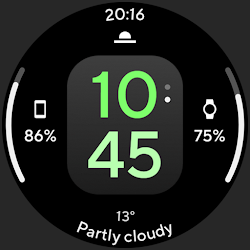
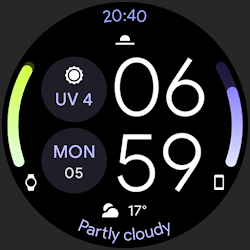
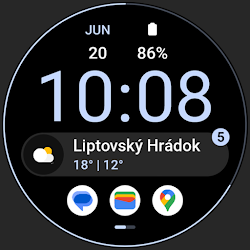
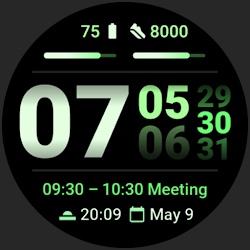
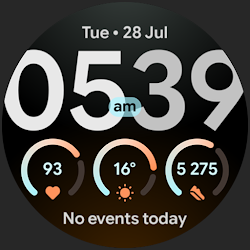
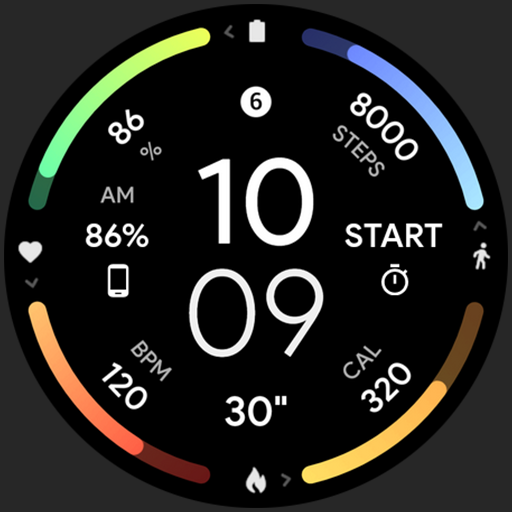
InfoGraph Watch Face
True black background Infograph digital Watch face for Wear OS
Downloads5,000+
Total reviewsNo data available
Average scoreNo data available
Released on Google PlayNov 29, 2021
Last updated on Google PlayAug 4, 2026
DiscoveredJul 11, 2026
Last updatedAug 15, 2026
Only for Wear OS devices - API 28+
// Not suitable for rectangular watches
Powered by Watch Face Format
amoledwatchfaces.com
BUY ONE GET ONE OFFER!
amoledwatchfaces.com/bogo
CUSTOM COMPLICATION APPS
amoledwatchfaces.com/apps
FEATURES
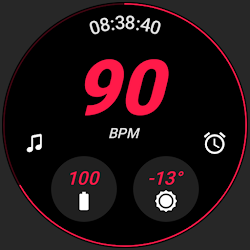
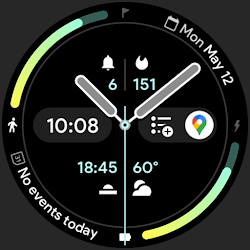
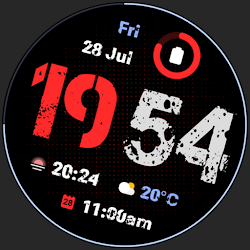
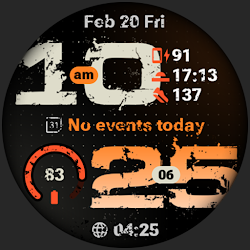
• true black background
• InfoGraph look
• calories burned by walking (experimental)
• high resolution
• many color combinations
• PNGQuant optimized layers > battery friendly
• gradient BAR indicators with 10 colors (fit bars)
• ambient mode with low OPR & adaptive colors
• 7x custom complications (Wear OS 4+)
• 12 / 24 H time based on phone time setting
• am/pm indicator
• tap digital hours to open alarm
• tap digital minutes to open settings
USER CONFIGURATIONS
• Slot 1 Bar (Gradient - 10x)
• Slot 2 Bar (Gradient - 10x)
• Slot 3 Bar (Gradient - 10x)
• Slot 4 Bar (Gradient - 10x)
• AOD Style (5x)
• Custom complications (7x)
Installation and troubleshooting guide
amoledwatchfaces.com/guide
Please send any issues reports or help requests to our support address
support@amoledwatchfaces.com
Join our Telegram group for live support and discussion
t.me/amoledwatchfaces
Newsletter
amoledwatchfaces.com/contact#newsletter
amoledwatchfaces™ - Awf
// Not suitable for rectangular watches
Powered by Watch Face Format
amoledwatchfaces.com
BUY ONE GET ONE OFFER!
amoledwatchfaces.com/bogo
CUSTOM COMPLICATION APPS
amoledwatchfaces.com/apps
FEATURES
• true black background
• InfoGraph look
• calories burned by walking (experimental)
• high resolution
• many color combinations
• PNGQuant optimized layers > battery friendly
• gradient BAR indicators with 10 colors (fit bars)
• ambient mode with low OPR & adaptive colors
• 7x custom complications (Wear OS 4+)
• 12 / 24 H time based on phone time setting
• am/pm indicator
• tap digital hours to open alarm
• tap digital minutes to open settings
USER CONFIGURATIONS
• Slot 1 Bar (Gradient - 10x)
• Slot 2 Bar (Gradient - 10x)
• Slot 3 Bar (Gradient - 10x)
• Slot 4 Bar (Gradient - 10x)
• AOD Style (5x)
• Custom complications (7x)
Installation and troubleshooting guide
amoledwatchfaces.com/guide
Please send any issues reports or help requests to our support address
support@amoledwatchfaces.com
Join our Telegram group for live support and discussion
t.me/amoledwatchfaces
Newsletter
amoledwatchfaces.com/contact#newsletter
amoledwatchfaces™ - Awf
Follow amoledwatchfaces™ — new faces in your inbox
One email per day at most — a single digest of yesterday's newly indexed watch faces from all developers you follow. Double opt-in, one-click unsubscribe, nothing else ever.
More from amoledwatchfaces™