New Paid
Ballozi INSPIRO Analog Hybrid
A modern analog classic vibe hybrid watch face for Wear OS designed by BALLOZI
Downloads500+
Total reviewsNo data available
Average scoreNo data available
Released on Google PlayJul 23, 2024
Last updated on Google PlayAug 7, 2026
DiscoveredJul 19, 2026
Last updatedAug 15, 2026
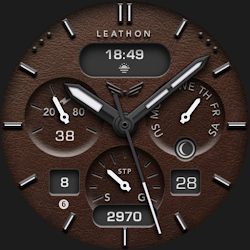
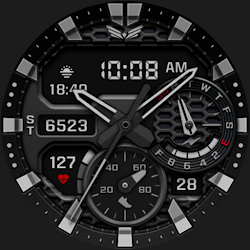
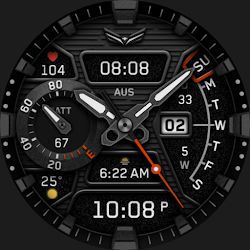
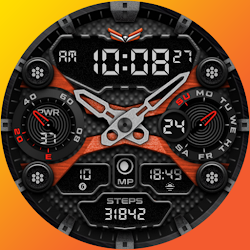
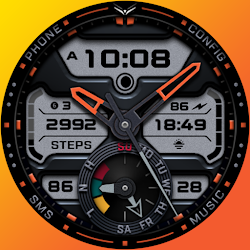
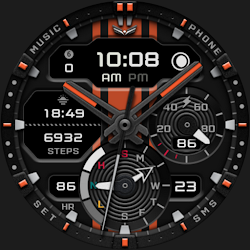
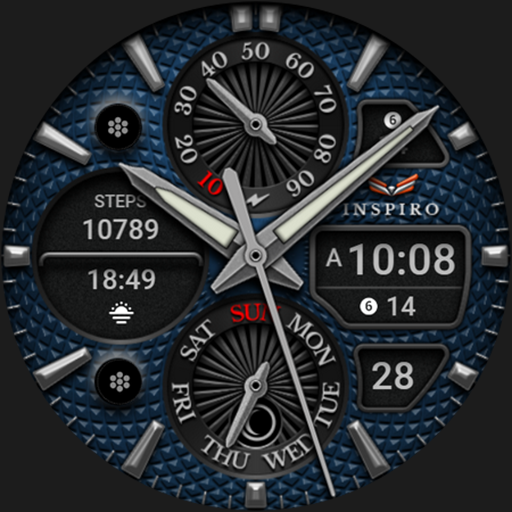
BALLOZI INSPIRO is an analog hybrid classic vibe watch face for Wear OS. With 6 textures including the disable option implemented at the top of a customizable background colors with 26 options to choose from.
⚠️NOTICE of Device Compatibility:
This is a Wear OS app and is only compatible with smartwatches running Wear OS 5.0 or higher (API level 34+)
FEATURES:
- An analog/digital watch face switchable to 12H/24H via phone settings
- Battery progress subdial with red indicator at 15% and below
- Steps counter (editable complication)
- 26x Background colors
- 5x Pattern style with a disabled option
-9x Watch hand & index colors
- Date & day of week
- Moon phase type
- 4x Editable complications
- 2x Customizable app shortcuts with icon
- 3x Preset app shortcuts
CUSTOMIZATION:
1. Press and hold "Display" then hit "Customize."
2. Swipe left and right to choose what to customize.
3. Swipe up and down to choose options available.
4. Hit "OK."
PRESET APP SHORTCUTS:
1. Battery Status
2. Alarm
3. Calendar
Check out Ballozi's updates at:
Facebook page: https://www.facebook.com/ballozi.watchfaces/
Instagram: https://www.instagram.com/ballozi.watchfaces/
Youtube Channel: https://www.youtube.com/@BalloziWatchFaces
Pinterest: https://www.pinterest.ph/ballozi/
For support, you can email me at balloziwatchface@gmail.com
⚠️NOTICE of Device Compatibility:
This is a Wear OS app and is only compatible with smartwatches running Wear OS 5.0 or higher (API level 34+)
FEATURES:
- An analog/digital watch face switchable to 12H/24H via phone settings
- Battery progress subdial with red indicator at 15% and below
- Steps counter (editable complication)
- 26x Background colors
- 5x Pattern style with a disabled option
-9x Watch hand & index colors
- Date & day of week
- Moon phase type
- 4x Editable complications
- 2x Customizable app shortcuts with icon
- 3x Preset app shortcuts
CUSTOMIZATION:
1. Press and hold "Display" then hit "Customize."
2. Swipe left and right to choose what to customize.
3. Swipe up and down to choose options available.
4. Hit "OK."
PRESET APP SHORTCUTS:
1. Battery Status
2. Alarm
3. Calendar
Check out Ballozi's updates at:
Facebook page: https://www.facebook.com/ballozi.watchfaces/
Instagram: https://www.instagram.com/ballozi.watchfaces/
Youtube Channel: https://www.youtube.com/@BalloziWatchFaces
Pinterest: https://www.pinterest.ph/ballozi/
For support, you can email me at balloziwatchface@gmail.com
Follow BALLOZI Watch Faces — new faces in your inbox
One email per day at most — a single digest of yesterday's newly indexed watch faces from all developers you follow. Double opt-in, one-click unsubscribe, nothing else ever.
More from BALLOZI Watch Faces