New Paid
Xmas Watch Face ULTRA SGW7
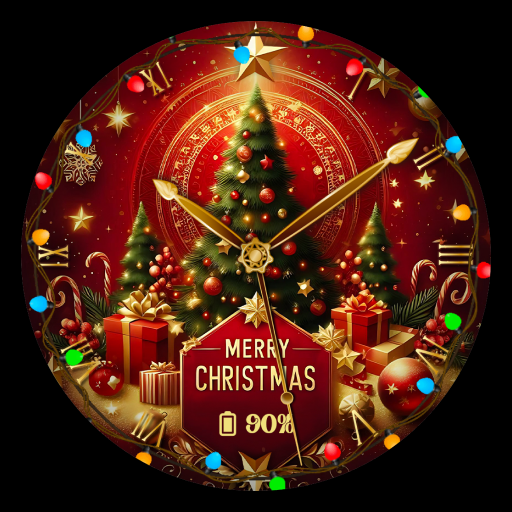
Add a festive winter touch to your Wear OS with this Xmas analog watch face app.
Downloads100+
Total reviewsNo data available
Average scoreNo data available
Released on Google PlayDec 9, 2024
Last updated on Google PlayDec 9, 2024
DiscoveredAug 9, 2026
Last updatedAug 15, 2026
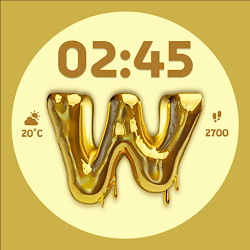
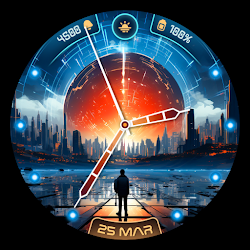
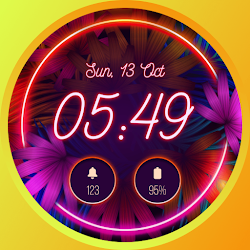
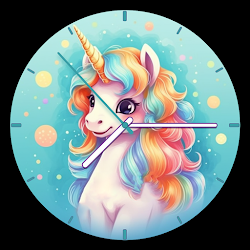
Xmas Watch Face ULTRA SGW7 lets you transform your Wear OS watch into a magical festive world with stunning analog designs. Featuring Christmas elements like Santa, reindeer, cozy snowmen, and winter landscapes, this app brings the warmth and joy of the holiday season to your wrist. Effortlessly apply Xmas-themed analog watch faces and fully customize your Wear OS watch screen with cheerful and captivating Christmas analog designs. Xmas Watch Face ULTRA SGW7 is crafted with user-friendly features, offering a seamless experience to celebrate Christmas in style.
Highlighted Features of Xmas Watch Faces App:
• Merry Xmas Themed Analog Dials
• Attractive Color Options
• Customizable Complications
• Battery Indicator
• AOD Support
• Supports Wear OS 3, Wear OS 4, and Wear OS 5 devices.
Supported Devices:
The Xmas Watch Face ULTRA SGW7 app is compatible with Wear OS devices (API Level 30+) that support Google's Watch Face Format.
- Galaxy Watch 7
- Galaxy Watch 7 Ultra
- Pixel Watch 3
- Fossil Gen 6 Smartwatch
- Fossil Gen 6 Wellness Edition
- Mobvoi Ticwatch Series
- Samsung Galaxy Watch 6
- Samsung Galaxy Watch 6 Classic
- Samsung Galaxy Watch5 & Watch5 Pro
- Samsung Galaxy Watch4 and Watch4 Classic and more.
Complications:
You can select and apply the following complications to your Wear OS smartwatch screen:
- Date
- Day of the week
- Day and date
- Next event
- Time
- Steps count
- Sunrise and sunset
- Watch battery
- World clock
Customization & Complications:
• Access Customization: Touch and hold the display.
• Select Customize: Tap on the "Customize" option to begin.
• Personalize Data Fields: In customization mode, adjust the complication fields to display your preferred data.
Install Instructions:
1. Install via Companion App:
• Open the companion app on your phone and tap "Install" on your watch.
• If you don’t see a prompt on your watch, try toggling Bluetooth/Wi-Fi off and on again to resolve the issue.
2. Activate the Watch Face:
• Long press on your watch screen, swipe left and tap "Add watch face" to activate it from the Downloaded section.
Highlighted Features of Xmas Watch Faces App:
• Merry Xmas Themed Analog Dials
• Attractive Color Options
• Customizable Complications
• Battery Indicator
• AOD Support
• Supports Wear OS 3, Wear OS 4, and Wear OS 5 devices.
Supported Devices:
The Xmas Watch Face ULTRA SGW7 app is compatible with Wear OS devices (API Level 30+) that support Google's Watch Face Format.
- Galaxy Watch 7
- Galaxy Watch 7 Ultra
- Pixel Watch 3
- Fossil Gen 6 Smartwatch
- Fossil Gen 6 Wellness Edition
- Mobvoi Ticwatch Series
- Samsung Galaxy Watch 6
- Samsung Galaxy Watch 6 Classic
- Samsung Galaxy Watch5 & Watch5 Pro
- Samsung Galaxy Watch4 and Watch4 Classic and more.
Complications:
You can select and apply the following complications to your Wear OS smartwatch screen:
- Date
- Day of the week
- Day and date
- Next event
- Time
- Steps count
- Sunrise and sunset
- Watch battery
- World clock
Customization & Complications:
• Access Customization: Touch and hold the display.
• Select Customize: Tap on the "Customize" option to begin.
• Personalize Data Fields: In customization mode, adjust the complication fields to display your preferred data.
Install Instructions:
1. Install via Companion App:
• Open the companion app on your phone and tap "Install" on your watch.
• If you don’t see a prompt on your watch, try toggling Bluetooth/Wi-Fi off and on again to resolve the issue.
2. Activate the Watch Face:
• Long press on your watch screen, swipe left and tap "Add watch face" to activate it from the Downloaded section.
Follow Systorso Inc. — new faces in your inbox
One email per day at most — a single digest of yesterday's newly indexed watch faces from all developers you follow. Double opt-in, one-click unsubscribe, nothing else ever.
More from Systorso Inc.