New Free
Gold Classic 1 WF Wear OS 5+
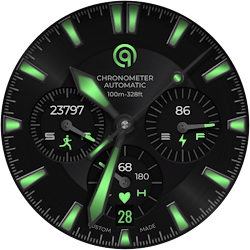
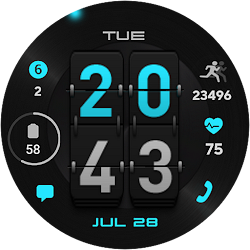
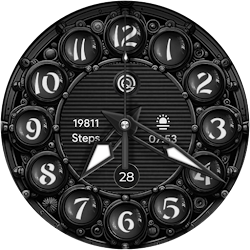
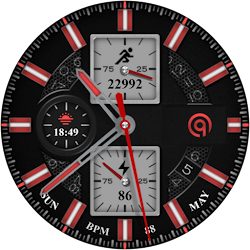
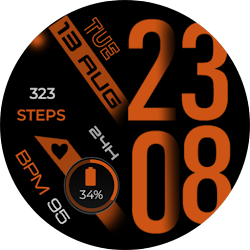
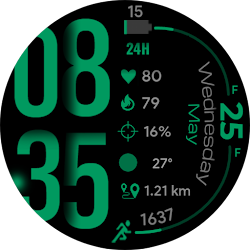
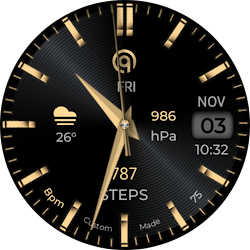
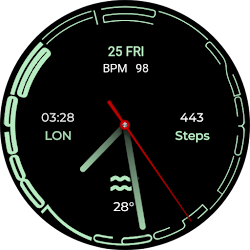
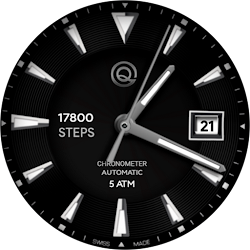
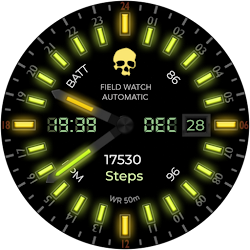
A Gold retro style watch face for Wear OS colorful with customization options.
Downloads100,000+
Total reviews1,951
Average score★ 4.38
Released on Google PlayAug 26, 2022
Last updated on Google PlayJul 29, 2026
DiscoveredJun 19, 2026
Last updatedAug 15, 2026
=======================================================
NOTICE: READ THIS ALWAYS BEFORE AND AFTER DOWNLOADING OUR WATCH FACE TO AVOID ANY SITUATION YOU DON'T LIKE.
=======================================================
BEST WAY TO CUSTOMIZE THIS WATCH FACE IS BY LONG PRESSING ON WATCH FACE HOME SCREEN & ACCESS THE CUSTOMIZATION MENU.
=====================================================
FEATURES AND FUNCTIONS
======================================================
This watch face for WEAR OS 5+ has following features:-
1. Tap on 6 o clock hour index bar to open watch Alarm app.
2. Tap on 1 o clock hour index bar to open watch Google Play Store App.
3. Tap on Date Text to open watch Calendar app.
4. Tap on 9 o clock hour index bar to open watch music app.
5. Tap on 5 o clock hour index bar to open watch phone app.
6. Tap on 12 o clock hour index bar to open watch settings app.
7. Tap on 7 o clock hour index bar to open watch messaging app.
9. 7 x Background Styles are available as customization option in the customization menu. 1st one follows the 30 x color styles. rest are dark black background textures and last 1 is pure black background.
10. AoD Background by default is pure black Background for battery savings. BUT you can also turn same background as Main Display from Customization Menu of the watch face.
11. Outer Index for Minutes Can be turned off and on from customization menu. An Option has been created and added in the customization menu of the watch face.
13. Dim Modes have been added as customization options for Main & AoD Display both Separately in the customization menu.
14. 7 x Customizable Complication Slots are available in the Watch face customization menu. 4 x Visible and 4 x Customizable Complication invisible Shortcuts of your choice.
15. Seconds Hand can be turned off as well from the watchface customization menu.
NOTICE: READ THIS ALWAYS BEFORE AND AFTER DOWNLOADING OUR WATCH FACE TO AVOID ANY SITUATION YOU DON'T LIKE.
=======================================================
BEST WAY TO CUSTOMIZE THIS WATCH FACE IS BY LONG PRESSING ON WATCH FACE HOME SCREEN & ACCESS THE CUSTOMIZATION MENU.
=====================================================
FEATURES AND FUNCTIONS
======================================================
This watch face for WEAR OS 5+ has following features:-
1. Tap on 6 o clock hour index bar to open watch Alarm app.
2. Tap on 1 o clock hour index bar to open watch Google Play Store App.
3. Tap on Date Text to open watch Calendar app.
4. Tap on 9 o clock hour index bar to open watch music app.
5. Tap on 5 o clock hour index bar to open watch phone app.
6. Tap on 12 o clock hour index bar to open watch settings app.
7. Tap on 7 o clock hour index bar to open watch messaging app.
9. 7 x Background Styles are available as customization option in the customization menu. 1st one follows the 30 x color styles. rest are dark black background textures and last 1 is pure black background.
10. AoD Background by default is pure black Background for battery savings. BUT you can also turn same background as Main Display from Customization Menu of the watch face.
11. Outer Index for Minutes Can be turned off and on from customization menu. An Option has been created and added in the customization menu of the watch face.
13. Dim Modes have been added as customization options for Main & AoD Display both Separately in the customization menu.
14. 7 x Customizable Complication Slots are available in the Watch face customization menu. 4 x Visible and 4 x Customizable Complication invisible Shortcuts of your choice.
15. Seconds Hand can be turned off as well from the watchface customization menu.
Follow OQ Watchfaces — new faces in your inbox
One email per day at most — a single digest of yesterday's newly indexed watch faces from all developers you follow. Double opt-in, one-click unsubscribe, nothing else ever.
More from OQ Watchfaces