New Deal
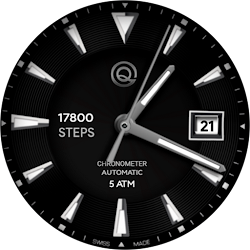
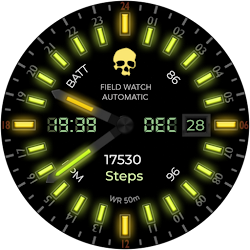
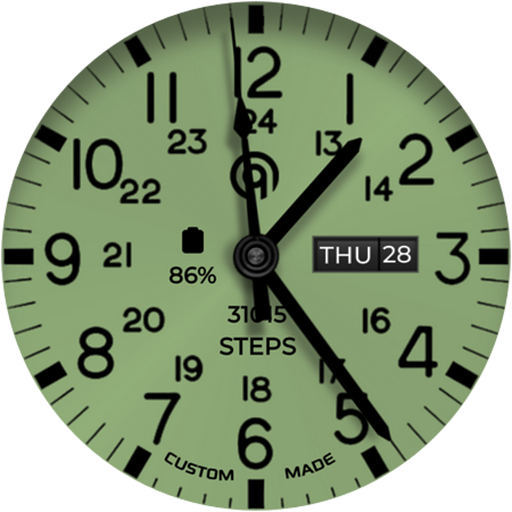
Field Watch 2 Bright WearOS 5+
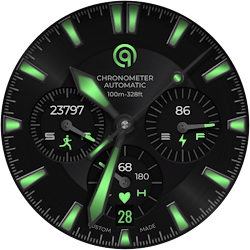
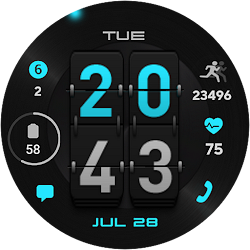
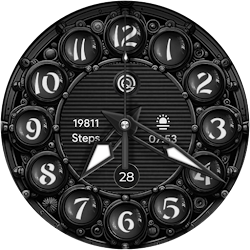
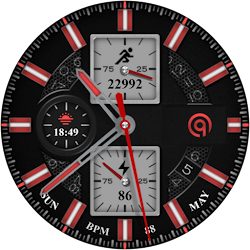
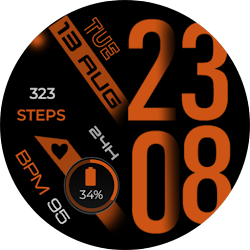
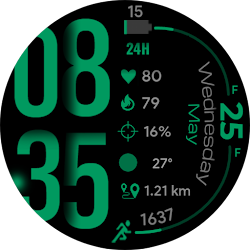
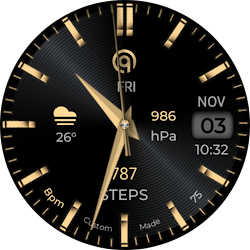
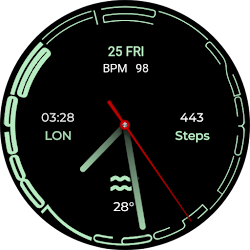
Watchface for Wear OS 5+ with bright main display & Pure Black Background AoD.
Downloads1,000+
Total reviewsNo data available
Average scoreNo data available
Released on Google PlayMay 27, 2023
Last updated on Google PlayJul 26, 2026
DiscoveredJun 23, 2026
Last updatedAug 19, 2026
Deal detectedAug 18, 2026
This watch face for Wear OS 5 + Devices
contains a lot of options in customization menu.If for some reason it takes time to load customization options in Wearable app wait for at least 8 secs to 10 secs to let it load up all customization menu options while opening on Galaxy wearable app.
=======================================================
FEATURES AND FUNCTIONS
=======================================================
This watch face for WEAR OS has following features:-
1. Tap on 6 o clock hour number to open watch Google Maps app.
2. Tap on 12 o clock hour number to open watch Google Play Store App.
3. Tap on 10 o clock hour number to open watch Battery app.
4. Tap on Date or Day Text to open watch Calendar app.
5. Tap on 2 o clock hour number to open watch Alarm app.
6. Tap on 4 o clock hour number to open watch settings app.
7. 3 x different logos are available via customization menu.
8. Backgrounds:-
a. First 4 x Background styles including default follow the default coloring 30 x
styles option colored backgrounds. The first four are backgrounds with
various depth and shadows. so you can mix and match the way you like.
b. last 6 xBackground Styles are gradient colored The AoD will still follow the
30 color styles but background doesnot & Background style remains a
gradient background.
c. AoD Background:- Is fixed to pure black Amoled Background. and is not
affected by above selections.
9. Hour & Minutes Hands Color for Main Display can be switched off from customization Menu to make them full black.
10. Shadow option on/off is available in customization menu. Tip: use shadow mode on brighter backgrounds available produces nice results.
contains a lot of options in customization menu.If for some reason it takes time to load customization options in Wearable app wait for at least 8 secs to 10 secs to let it load up all customization menu options while opening on Galaxy wearable app.
=======================================================
FEATURES AND FUNCTIONS
=======================================================
This watch face for WEAR OS has following features:-
1. Tap on 6 o clock hour number to open watch Google Maps app.
2. Tap on 12 o clock hour number to open watch Google Play Store App.
3. Tap on 10 o clock hour number to open watch Battery app.
4. Tap on Date or Day Text to open watch Calendar app.
5. Tap on 2 o clock hour number to open watch Alarm app.
6. Tap on 4 o clock hour number to open watch settings app.
7. 3 x different logos are available via customization menu.
8. Backgrounds:-
a. First 4 x Background styles including default follow the default coloring 30 x
styles option colored backgrounds. The first four are backgrounds with
various depth and shadows. so you can mix and match the way you like.
b. last 6 xBackground Styles are gradient colored The AoD will still follow the
30 color styles but background doesnot & Background style remains a
gradient background.
c. AoD Background:- Is fixed to pure black Amoled Background. and is not
affected by above selections.
9. Hour & Minutes Hands Color for Main Display can be switched off from customization Menu to make them full black.
10. Shadow option on/off is available in customization menu. Tip: use shadow mode on brighter backgrounds available produces nice results.
Follow OQ Watchfaces — new faces in your inbox
One email per day at most — a single digest of yesterday's newly indexed watch faces from all developers you follow. Double opt-in, one-click unsubscribe, nothing else ever.
More from OQ Watchfaces