New Paid
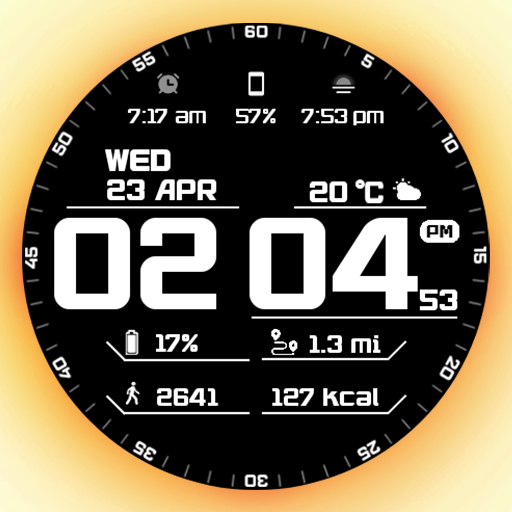
GRBL Sport Digital Watchface
by Grubel
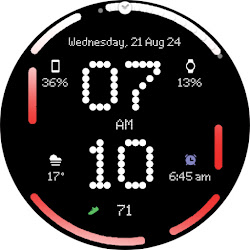
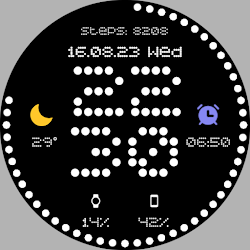
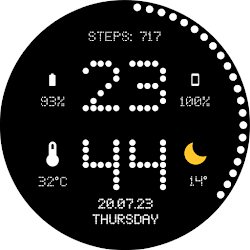
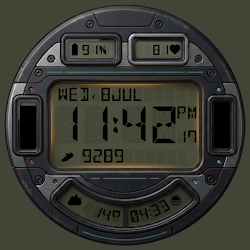
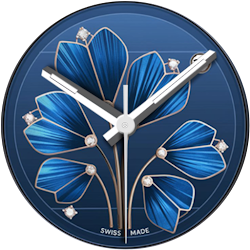
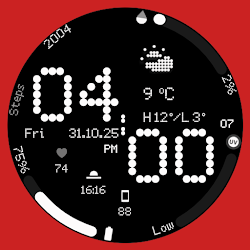
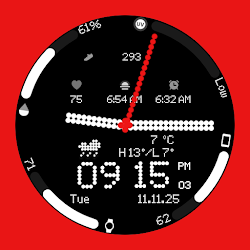
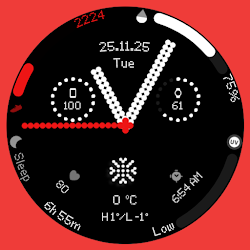
Stylish sport watchface with dynamic stats and sleek design. For Wear Os
Downloads100+
Total reviewsNo data available
Average scoreNo data available
Released on Google PlayApr 28, 2025
Last updated on Google PlayApr 28, 2025
DiscoveredJul 12, 2026
Last updatedAug 17, 2026
⚠️Important disclaimer ⚠️
Calroies and distance are counted based on the steps made. Those complications don't take data from any app.
Wheater shortcut works only on Samsung smartwatches (for now)
📢 WHEN YOU CAN'T SEE THE WEATHER COMPLICATION AFTER INSTALLING THE WATCH FACE:
- PLEASE UPDATE THE WEATHER MANUALLY ON THE WATCH
IF THAT DOESNT WORK:
- PLEASE SWITCH TO OTHER WATCH FACE THEN SWITCH BACK TO THIS ONE
Features:
1. Supports AM/PM and 12H/24H format
2. Steps counter
3. Hour with seconds
4. Date
5. Always on display
6. Three custom complications
7. Distance (!!! KM when 24H format is on, MI whe 12H format is on!!!)
8. Calories burned
9. Battery
10. Steps
There are two ways to install this watchaface on Wear OS
Before drop a negative feedback (1 star) on Play Store, please read the guide carefully or contact me:
grubel.watchfaces@gmail.com
for API 34+
Remember , if you want your watch to show phone's battery status, you should install Phone Battery Complication app
Designed for WearOS, Wear OS
Calroies and distance are counted based on the steps made. Those complications don't take data from any app.
Wheater shortcut works only on Samsung smartwatches (for now)
📢 WHEN YOU CAN'T SEE THE WEATHER COMPLICATION AFTER INSTALLING THE WATCH FACE:
- PLEASE UPDATE THE WEATHER MANUALLY ON THE WATCH
IF THAT DOESNT WORK:
- PLEASE SWITCH TO OTHER WATCH FACE THEN SWITCH BACK TO THIS ONE
Features:
1. Supports AM/PM and 12H/24H format
2. Steps counter
3. Hour with seconds
4. Date
5. Always on display
6. Three custom complications
7. Distance (!!! KM when 24H format is on, MI whe 12H format is on!!!)
8. Calories burned
9. Battery
10. Steps
There are two ways to install this watchaface on Wear OS
Before drop a negative feedback (1 star) on Play Store, please read the guide carefully or contact me:
grubel.watchfaces@gmail.com
for API 34+
Remember , if you want your watch to show phone's battery status, you should install Phone Battery Complication app
Designed for WearOS, Wear OS
Follow Grubel — new faces in your inbox
One email per day at most — a single digest of yesterday's newly indexed watch faces from all developers you follow. Double opt-in, one-click unsubscribe, nothing else ever.
More from Grubel