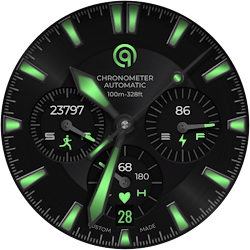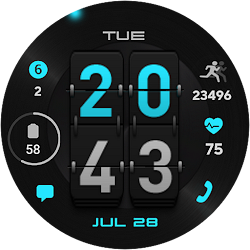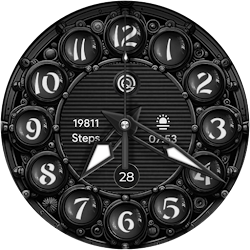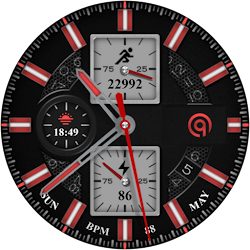
New Paid
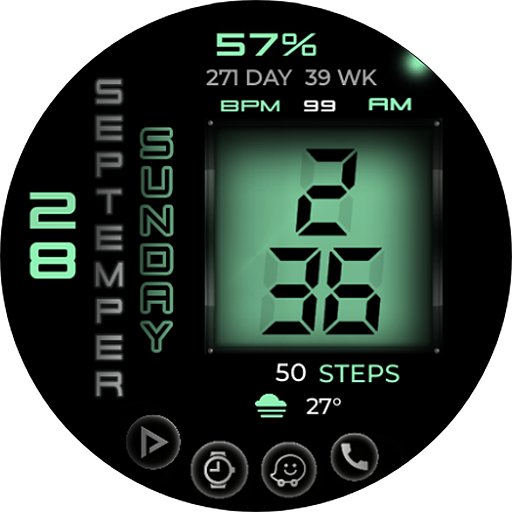
Digital Basic 8e Wear OS 5+
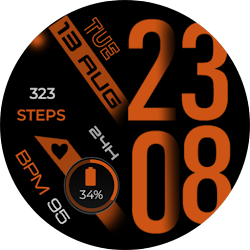
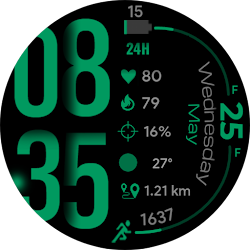
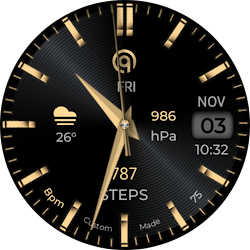
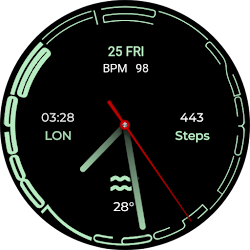
A Unique Stylish modern Digital Watchface with many color style options
Downloads1,000+
Total reviewsNo data available
Average scoreNo data available
Released on Google PlaySep 28, 2025
Last updated on Google PlayJul 29, 2026
DiscoveredJul 15, 2026
Last updatedAug 15, 2026
=======================================================
NOTICE: READ THIS ALWAYS BEFORE AND AFTER DOWNLOADING OUR WATCH FACE TO AVOID ANY SITUATION YOU DON'T LIKE.IF YOU BOUGHT THE WATCH FACE AND THINK ITS A MISTAKE AND AFTER REFUNDING ONCE GOOGLE PLAY DOES NOT SHOW REFUND WHEN YOU TRIED AGAIN JUST EMAIL AT MY DEVELOPER EMAIL ADDRESS AND GET A REFUND FROM ME.
=======================================================
a.The watch face supports both 12H and 24H Modes. Please Note that to use mode of your choice you have to select it on the phone your watch is connected. And If you are using an LTE watch and it is not connected to the phone then go to watch settings and then change time mode from there.
b. The font used for the hours and minutes text displayed is a special created font with numbers from 1 to 10 with shadows behind each number. it is not a digital font So no you cannot change the font for it.
c. The Days , and Month Text text are basically images of each day and month created as png graphics file to get perfect alignment so no you cannot have more languages for it ONLY English is supported.
d. DO NOT PAY TWICE FROM WATCH PLAY STORE . READ The Install Guide Image again. See 3 x methods 100 percent working to install both phone app and watch app .
=======================================================
FEATURES AND FUNCTIONS
=======================================================
This watch face for WEAR OS 5+ has following features:-
1. Tapping on phone icon will open watch dial app on your watch.
2. Tapping on message icon on left of phone icon open watch messages app.
3. Tapping on watch icon will open watch alarm settings
4. Tapping on icon left of watch icon with a play icon will open the watch play store app on your watch.
5. Tap On BPM Text or Reading and it will ope Bpm Heart Rate Counter on the watch.
6. Tap on Battery icon or text to open watch battery settings menu.
7. The Frame around Hour and Minutes digits is also customizable via customization menu.
8. 30 x Color Styles are available in Customization menu for user.
9. Dim Mode is available for Main and Always on Display as well separately in customization menu.
NOTICE: READ THIS ALWAYS BEFORE AND AFTER DOWNLOADING OUR WATCH FACE TO AVOID ANY SITUATION YOU DON'T LIKE.IF YOU BOUGHT THE WATCH FACE AND THINK ITS A MISTAKE AND AFTER REFUNDING ONCE GOOGLE PLAY DOES NOT SHOW REFUND WHEN YOU TRIED AGAIN JUST EMAIL AT MY DEVELOPER EMAIL ADDRESS AND GET A REFUND FROM ME.
=======================================================
a.The watch face supports both 12H and 24H Modes. Please Note that to use mode of your choice you have to select it on the phone your watch is connected. And If you are using an LTE watch and it is not connected to the phone then go to watch settings and then change time mode from there.
b. The font used for the hours and minutes text displayed is a special created font with numbers from 1 to 10 with shadows behind each number. it is not a digital font So no you cannot change the font for it.
c. The Days , and Month Text text are basically images of each day and month created as png graphics file to get perfect alignment so no you cannot have more languages for it ONLY English is supported.
d. DO NOT PAY TWICE FROM WATCH PLAY STORE . READ The Install Guide Image again. See 3 x methods 100 percent working to install both phone app and watch app .
=======================================================
FEATURES AND FUNCTIONS
=======================================================
This watch face for WEAR OS 5+ has following features:-
1. Tapping on phone icon will open watch dial app on your watch.
2. Tapping on message icon on left of phone icon open watch messages app.
3. Tapping on watch icon will open watch alarm settings
4. Tapping on icon left of watch icon with a play icon will open the watch play store app on your watch.
5. Tap On BPM Text or Reading and it will ope Bpm Heart Rate Counter on the watch.
6. Tap on Battery icon or text to open watch battery settings menu.
7. The Frame around Hour and Minutes digits is also customizable via customization menu.
8. 30 x Color Styles are available in Customization menu for user.
9. Dim Mode is available for Main and Always on Display as well separately in customization menu.
Follow OQ Watchfaces — new faces in your inbox
One email per day at most — a single digest of yesterday's newly indexed watch faces from all developers you follow. Double opt-in, one-click unsubscribe, nothing else ever.
More from OQ Watchfaces