New Free
Cyber Watch Face
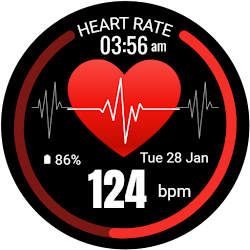
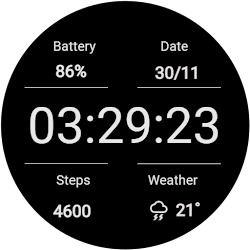
Cyber-themed watch face with digital time, steps, heart rate, and battery info.
Downloads1,000+
Total reviewsNo data available
Average scoreNo data available
Released on Google PlayMar 20, 2025
Last updated on Google PlayAug 4, 2026
DiscoveredAug 14, 2026
Last updatedAug 14, 2026
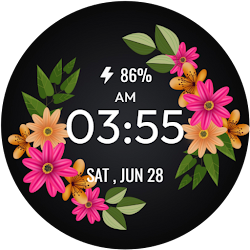
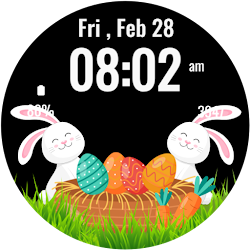
Step into the future with the Cyber Watch Face for Wear OS. This cutting-edge watch face brings a bold, digital display and futuristic design to your smartwatch. Its unique layout presents vital data such as time, heart rate, steps, and battery percentage in a tech-inspired interface that enhances your watch’s look and functionality.
Perfect for tech enthusiasts and futurists, the Cyber Watch Face combines essential information with a sleek, modern style. Its sharp layout and bold fonts make it easy to view key metrics at a glance, keeping you informed and connected in a dynamic way.
Key Features:
1.Futuristic cyber theme with a bold digital clock display.
2.Shows real-time heart rate, steps, and battery percentage.
3.Displays date, messages, and step goal progress.
4.Customizable design elements for a unique, personalized look.
5.Supports Ambient Mode and Always-On Display (AOD).
6.Optimized for round Wear OS devices with smooth performance.
Installation Instructions:
1.Open the Companion App on your phone.
2.Tap "Install on Watch."
3.Select Cyber Watch Face from your watch settings or gallery.
Compatibility:
✅ Compatible with all Wear OS devices API 33+ (e.g., Google Pixel Watch, Samsung Galaxy Watch).
❌ Not suitable for rectangular watches.
Transform your smartwatch with the Cyber Watch Face—a perfect combination of futuristic design and modern functionality to keep you informed in style.
Perfect for tech enthusiasts and futurists, the Cyber Watch Face combines essential information with a sleek, modern style. Its sharp layout and bold fonts make it easy to view key metrics at a glance, keeping you informed and connected in a dynamic way.
Key Features:
1.Futuristic cyber theme with a bold digital clock display.
2.Shows real-time heart rate, steps, and battery percentage.
3.Displays date, messages, and step goal progress.
4.Customizable design elements for a unique, personalized look.
5.Supports Ambient Mode and Always-On Display (AOD).
6.Optimized for round Wear OS devices with smooth performance.
Installation Instructions:
1.Open the Companion App on your phone.
2.Tap "Install on Watch."
3.Select Cyber Watch Face from your watch settings or gallery.
Compatibility:
✅ Compatible with all Wear OS devices API 33+ (e.g., Google Pixel Watch, Samsung Galaxy Watch).
❌ Not suitable for rectangular watches.
Transform your smartwatch with the Cyber Watch Face—a perfect combination of futuristic design and modern functionality to keep you informed in style.
Follow jigu watchface — new faces in your inbox
One email per day at most — a single digest of yesterday's newly indexed watch faces from all developers you follow. Double opt-in, one-click unsubscribe, nothing else ever.
More from jigu watchface