New Free
Active Point Watch Face
by RichFace
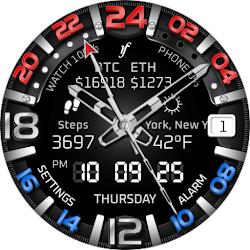
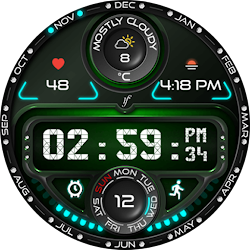
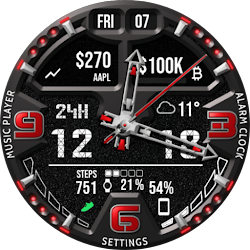
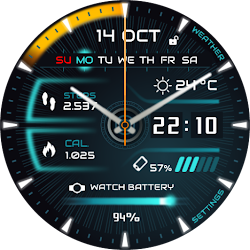
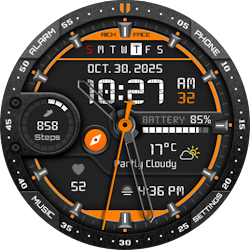
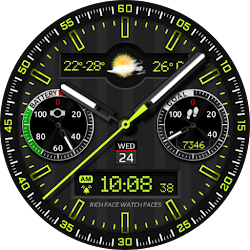
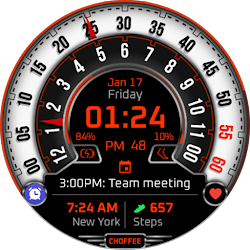
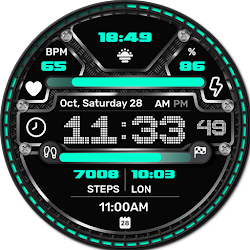
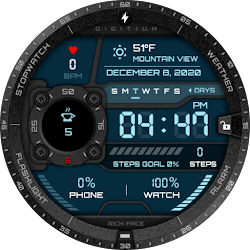
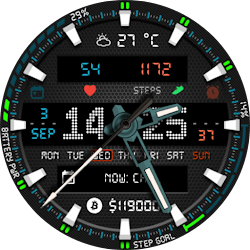
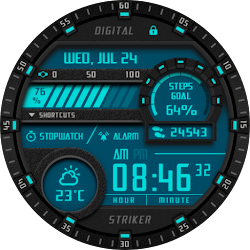
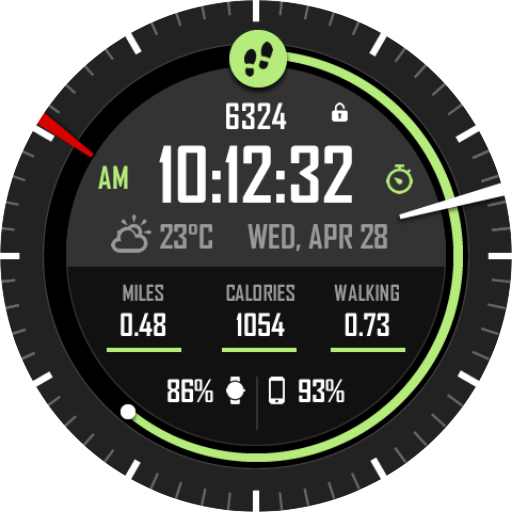
Multifunctional sporty digital watch face with 3 FIT complications
Downloads100,000+
Total reviewsNo data available
Average scoreNo data available
Released on Google PlayNov 22, 2017
Last updated on Google PlayOct 14, 2024
DiscoveredJun 19, 2026
Last updatedAug 19, 2026
Watch Face Active Point for Wear OS is true eye-catcher with sport characteristics and interactive functions.
Watch face contains a huge number and user friendly settings on the watch and the phone companion app.
★ Watch Face Active Point is fully Wear OS supported
★ Wear OS 2.0 integration
• Fully standalone! (iPhone and Android compatible)
• External complication data for the indicators
★ Compatible with all Android WearOS watches
★ Free version ★
Complications:
• Phone battery
• Watch batter
• Weather
Options:
• Change color
• 24 hour format
• Leading zero
• Screen time
★ NEW option for paid version ★
• Vibrate on every hour
★ Paid version ★
Built-in complications
• Steps
• Distance
• Walking
• Running
• Biking
• Calories
• Fit statistics
Options:
• External complications
• Change color
• 24 hour format
• Leading zero
• Screen time
• Forecast
• Full ambient mode option
• Change color preset on tap
• Show/hide hour hands option
• Tap indicator
• Weather settings (location, providers, frequency update, units)
★ DISCLAIMER ★
The free version doesn't have a tap functionality. It just shows data and the user is not able to change it until unlock the PREMIUM version.
The phone battery indicator works only if you connect the smartwatch to Android phone device.
★ FAQ
!! Please contact us if you have any trouble with the app !!
richface.watch@gmail.com
How do I install the watch face on Wear OS?
1. Install it from Google Play Wear Store on your smartwatch.
2. Install the companion app for fully customization (Android phone devices).
★ PERMISSIONS Explained
https://www.richface.watch/privacy
Watch face contains a huge number and user friendly settings on the watch and the phone companion app.
★ Watch Face Active Point is fully Wear OS supported
★ Wear OS 2.0 integration
• Fully standalone! (iPhone and Android compatible)
• External complication data for the indicators
★ Compatible with all Android WearOS watches
★ Free version ★
Complications:
• Phone battery
• Watch batter
• Weather
Options:
• Change color
• 24 hour format
• Leading zero
• Screen time
★ NEW option for paid version ★
• Vibrate on every hour
★ Paid version ★
Built-in complications
• Steps
• Distance
• Walking
• Running
• Biking
• Calories
• Fit statistics
Options:
• External complications
• Change color
• 24 hour format
• Leading zero
• Screen time
• Forecast
• Full ambient mode option
• Change color preset on tap
• Show/hide hour hands option
• Tap indicator
• Weather settings (location, providers, frequency update, units)
★ DISCLAIMER ★
The free version doesn't have a tap functionality. It just shows data and the user is not able to change it until unlock the PREMIUM version.
The phone battery indicator works only if you connect the smartwatch to Android phone device.
★ FAQ
!! Please contact us if you have any trouble with the app !!
richface.watch@gmail.com
How do I install the watch face on Wear OS?
1. Install it from Google Play Wear Store on your smartwatch.
2. Install the companion app for fully customization (Android phone devices).
★ PERMISSIONS Explained
https://www.richface.watch/privacy
Follow RichFace — new faces in your inbox
One email per day at most — a single digest of yesterday's newly indexed watch faces from all developers you follow. Double opt-in, one-click unsubscribe, nothing else ever.
More from RichFace