New Paid
Digital watchface D21
by VG Faces
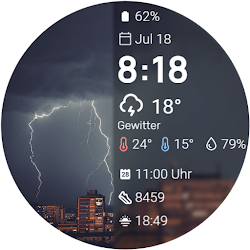
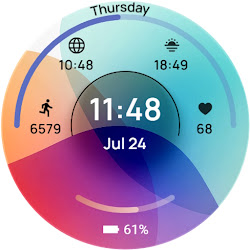
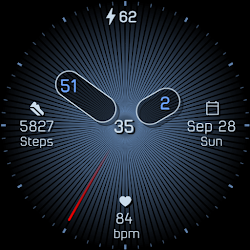
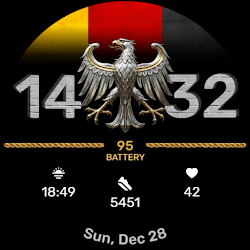
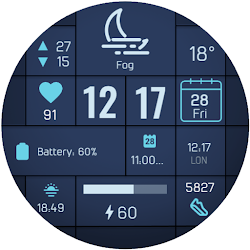
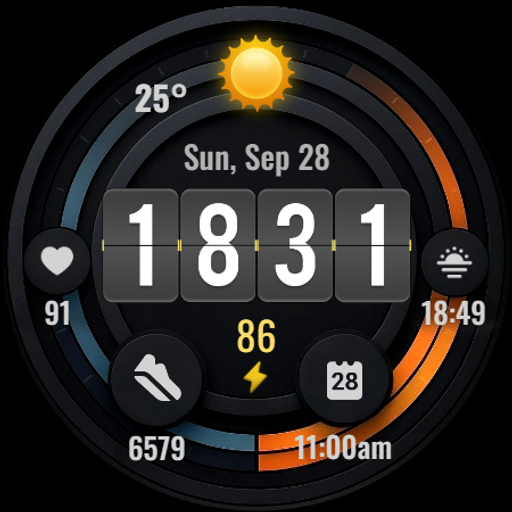
Modern digital watch face for Wear OS with weather, complications and shortcuts
Downloads100+
Total reviewsNo data available
Average scoreNo data available
Released on Google PlaySep 22, 2025
Last updated on Google PlayAug 10, 2026
DiscoveredJul 2, 2026
Last updatedAug 19, 2026
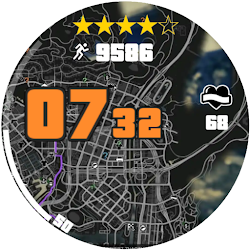
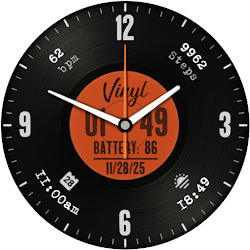
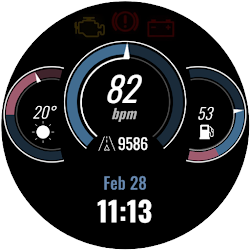
Upgrade your Wear OS device with the D21 Digital Watch Face, a powerful and clear command center for your wrist. Designed for those who value information at a glance, D21 presents all your essential data in a clean, organized, and highly readable digital format.
Key Features:
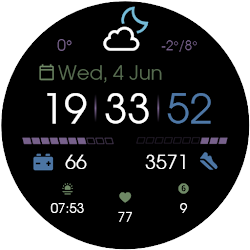
Large, Clear Digital Time: The prominent digital display ensures you can read the time instantly, day or night.
Live Weather Information: Stay prepared for your day with the current temperature and a dynamic weather icon that automatically switches between day and night visuals.
4 Powerful Complications: Get quick access to your most-used apps and data. The layout is intelligently designed with a mix of fixed and customizable slots:
- 3 Fixed Shortcuts: Instant access to your Calendar, Alarm, and Battery Status. These core functions are always just one tap away.
- 1 Customizable Shortcut: Tailor your watch face to your needs! Set this slot to launch your favorite app, like a fitness tracker, music player, timer, or anything else you need.
Essential Health & Power Stats: Monitor your daily activity with an integrated Steps Counter and keep track of your wellness with the Heart Rate monitor. The battery percentage is always visible to keep you informed.
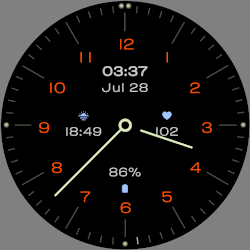
Optimized Always-On Display (AOD): The power-efficient AOD ensures essential information remains visible without draining your battery. It provides a clean, minimalist look that is both stylish and functional.
Functionality Meets Style:
The D21 watch face is engineered for performance and clarity. The sporty, tech-inspired design makes it perfect for everyday use, workouts, and any occasion where quick access to information is key. Every element is placed for maximum readability and ease of use.
Installation:
- Ensure your watch is connected to your phone via Bluetooth.
- Install the watch face from the Google Play Store. It will be downloaded to your phone and automatically synced to your watch.
- To apply, long-press on your current watch face on the watch screen, scroll to find the D21 Digital Watch Face, and tap to select it.
Compatibility:
This watch face is fully compatible with Wear OS 5+ devices, including:
- Samsung Galaxy Watch
- Google Pixel Watch
- Fossil
- TicWatch Pro
- other smartwatches running the latest Wear OS.
For support or suggestions, please contact us at volder83@gmail.com. Check out our full portfolio of watch faces on the Google Play Store!
Key Features:
Large, Clear Digital Time: The prominent digital display ensures you can read the time instantly, day or night.
Live Weather Information: Stay prepared for your day with the current temperature and a dynamic weather icon that automatically switches between day and night visuals.
4 Powerful Complications: Get quick access to your most-used apps and data. The layout is intelligently designed with a mix of fixed and customizable slots:
- 3 Fixed Shortcuts: Instant access to your Calendar, Alarm, and Battery Status. These core functions are always just one tap away.
- 1 Customizable Shortcut: Tailor your watch face to your needs! Set this slot to launch your favorite app, like a fitness tracker, music player, timer, or anything else you need.
Essential Health & Power Stats: Monitor your daily activity with an integrated Steps Counter and keep track of your wellness with the Heart Rate monitor. The battery percentage is always visible to keep you informed.
Optimized Always-On Display (AOD): The power-efficient AOD ensures essential information remains visible without draining your battery. It provides a clean, minimalist look that is both stylish and functional.
Functionality Meets Style:
The D21 watch face is engineered for performance and clarity. The sporty, tech-inspired design makes it perfect for everyday use, workouts, and any occasion where quick access to information is key. Every element is placed for maximum readability and ease of use.
Installation:
- Ensure your watch is connected to your phone via Bluetooth.
- Install the watch face from the Google Play Store. It will be downloaded to your phone and automatically synced to your watch.
- To apply, long-press on your current watch face on the watch screen, scroll to find the D21 Digital Watch Face, and tap to select it.
Compatibility:
This watch face is fully compatible with Wear OS 5+ devices, including:
- Samsung Galaxy Watch
- Google Pixel Watch
- Fossil
- TicWatch Pro
- other smartwatches running the latest Wear OS.
For support or suggestions, please contact us at volder83@gmail.com. Check out our full portfolio of watch faces on the Google Play Store!
Follow VG Faces — new faces in your inbox
One email per day at most — a single digest of yesterday's newly indexed watch faces from all developers you follow. Double opt-in, one-click unsubscribe, nothing else ever.
More from VG Faces