New Paid
Watchface Art 1
by VG Faces
Pop art Wear OS digital face: health data, 4 app shortcuts & 2 AOD modes
Downloads50+
Total reviewsNo data available
Average scoreNo data available
Released on Google PlayMay 26, 2025
Last updated on Google PlayAug 5, 2026
DiscoveredJul 1, 2026
Last updatedAug 15, 2026
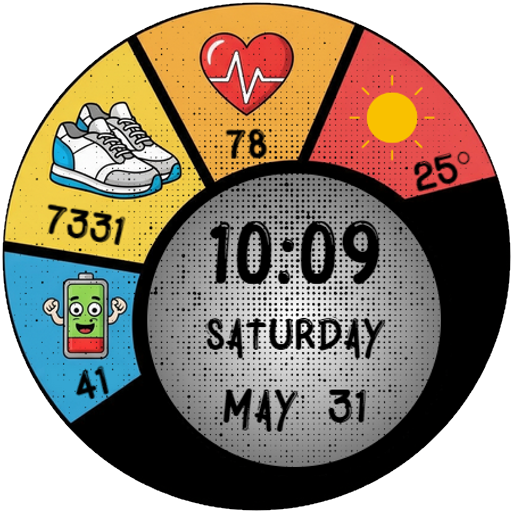
ART 1 Digital Watch Face for Wear OS
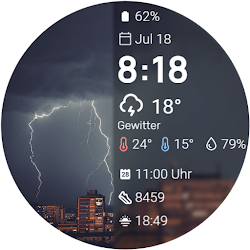
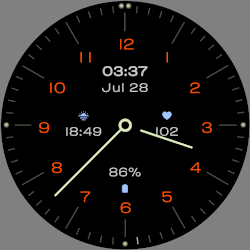
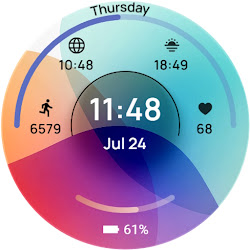
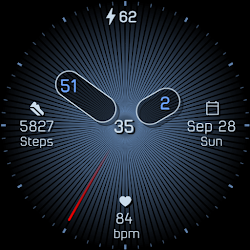
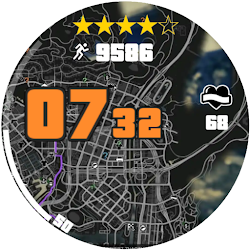
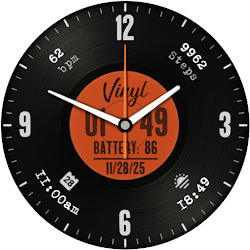
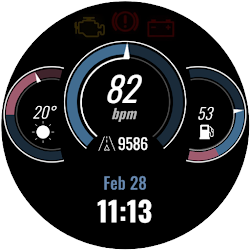
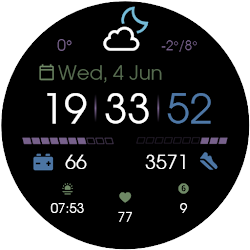
Add a splash of color and comic-book style to your wrist with the ART 1 Digital Watch Face for Wear OS. This unique, vibrant design brings a fun aesthetic while delivering all your essential daily data right where you need it.
Key Features:
• Comprehensive Daily Data: Track your battery level, daily steps, heart rate, and current weather directly on the segmented dial.
• Color Solutions: Customize the appearance with various vibrant color themes to match your unique style.
• Always On Display: Manage your battery life with two AOD options, featuring a dimmed full-data mode and a minimalist time-only mode.
Smart Shortcut System:
Navigate your smartwatch effortlessly:
• Quick Access: Built-in tap zones for instant access to your Alarm and Calendar.
• 4 Customizable App Shortcuts: Personalize your experience by assigning four of your favorite apps for quick launching.
Installation:
1. Ensure your watch is connected via Bluetooth.
2. Download from the Google Play Store.
3. Long-press your watch screen, scroll to the end, and select the watch face to apply.
Compatibility:
Designed exclusively for Wear OS 5+ devices, including:
• Samsung Galaxy Watch 8 & Ultra
• Google Pixel Watch 4
• And other newer devices running Wear OS 5 or higher.
Add a splash of color and comic-book style to your wrist with the ART 1 Digital Watch Face for Wear OS. This unique, vibrant design brings a fun aesthetic while delivering all your essential daily data right where you need it.
Key Features:
• Comprehensive Daily Data: Track your battery level, daily steps, heart rate, and current weather directly on the segmented dial.
• Color Solutions: Customize the appearance with various vibrant color themes to match your unique style.
• Always On Display: Manage your battery life with two AOD options, featuring a dimmed full-data mode and a minimalist time-only mode.
Smart Shortcut System:
Navigate your smartwatch effortlessly:
• Quick Access: Built-in tap zones for instant access to your Alarm and Calendar.
• 4 Customizable App Shortcuts: Personalize your experience by assigning four of your favorite apps for quick launching.
Installation:
1. Ensure your watch is connected via Bluetooth.
2. Download from the Google Play Store.
3. Long-press your watch screen, scroll to the end, and select the watch face to apply.
Compatibility:
Designed exclusively for Wear OS 5+ devices, including:
• Samsung Galaxy Watch 8 & Ultra
• Google Pixel Watch 4
• And other newer devices running Wear OS 5 or higher.
Follow VG Faces — new faces in your inbox
One email per day at most — a single digest of yesterday's newly indexed watch faces from all developers you follow. Double opt-in, one-click unsubscribe, nothing else ever.
More from VG Faces