New Paid
Digital Watchface D1
by VG Faces
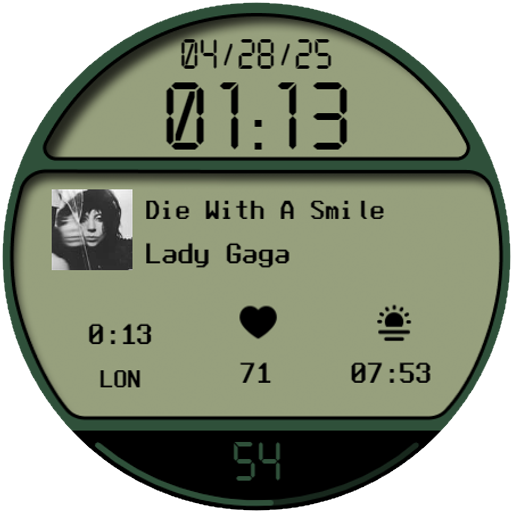
Modern Wear OS digital face: strict design, 4 complications & 2 AOD modes
Downloads10+
Total reviewsNo data available
Average scoreNo data available
Released on Google PlayApr 28, 2025
Last updated on Google PlayAug 6, 2026
DiscoveredJul 1, 2026
Last updatedAug 15, 2026
D1 Digital Watch Face for Wear OS
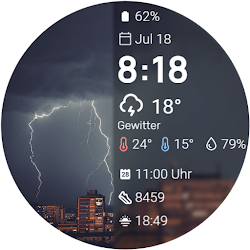
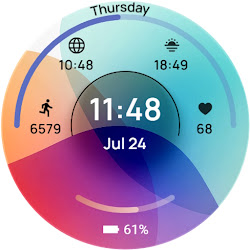
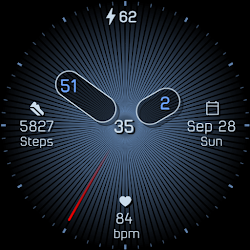
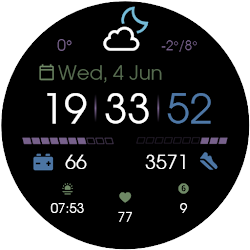
Upgrade your smartwatch with the D1 Digital Watch Face for Wear OS. This strict and modern design offers a perfectly organized, block-style digital layout, providing excellent readability and extensive customization for your daily needs.
Key Features:
• Clean Digital Layout: Easily read the time and date in a sharply defined, segmented interface.
• 4 Customizable Complications: Personalize your display with four dedicated slots. The large central slot is perfect for detailed info like media controls or calendar events, while the three bottom slots handle your quick stats.
• Different Colors: Match your style effortlessly by choosing from a wide variety of vibrant color themes.
• Battery Status: Keep track of your smartwatch's power with a dedicated, easy-to-read battery indicator.
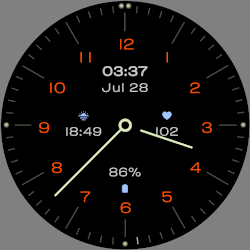
• 2 Always On Display Modes: Manage your battery life with two distinct AOD options: a dimmed informative mode showing all data, and a minimal mode displaying only the time.
Installation:
1. Ensure your watch is connected via Bluetooth.
2. Download from the Google Play Store.
3. Long-press your watch screen, scroll to the end, and select the watch face to apply.
Compatibility:
Designed exclusively for Wear OS 5+ devices, including:
• Samsung Galaxy Watch 8 & Ultra
• Google Pixel Watch 4
• And other newer devices running Wear OS 5 or higher.
Upgrade your smartwatch with the D1 Digital Watch Face for Wear OS. This strict and modern design offers a perfectly organized, block-style digital layout, providing excellent readability and extensive customization for your daily needs.
Key Features:
• Clean Digital Layout: Easily read the time and date in a sharply defined, segmented interface.
• 4 Customizable Complications: Personalize your display with four dedicated slots. The large central slot is perfect for detailed info like media controls or calendar events, while the three bottom slots handle your quick stats.
• Different Colors: Match your style effortlessly by choosing from a wide variety of vibrant color themes.
• Battery Status: Keep track of your smartwatch's power with a dedicated, easy-to-read battery indicator.
• 2 Always On Display Modes: Manage your battery life with two distinct AOD options: a dimmed informative mode showing all data, and a minimal mode displaying only the time.
Installation:
1. Ensure your watch is connected via Bluetooth.
2. Download from the Google Play Store.
3. Long-press your watch screen, scroll to the end, and select the watch face to apply.
Compatibility:
Designed exclusively for Wear OS 5+ devices, including:
• Samsung Galaxy Watch 8 & Ultra
• Google Pixel Watch 4
• And other newer devices running Wear OS 5 or higher.
Follow VG Faces — new faces in your inbox
One email per day at most — a single digest of yesterday's newly indexed watch faces from all developers you follow. Double opt-in, one-click unsubscribe, nothing else ever.
More from VG Faces