New Deal
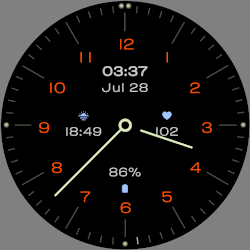
Analog Watch Face A1
by VG Faces
Classic Wear OS analog face: 4 complications, backgrounds & shortcuts
Downloads50+
Total reviewsNo data available
Average scoreNo data available
Released on Google PlayFeb 3, 2025
Last updated on Google PlayAug 4, 2026
DiscoveredJul 1, 2026
Last updatedAug 19, 2026
Deal detectedAug 19, 2026
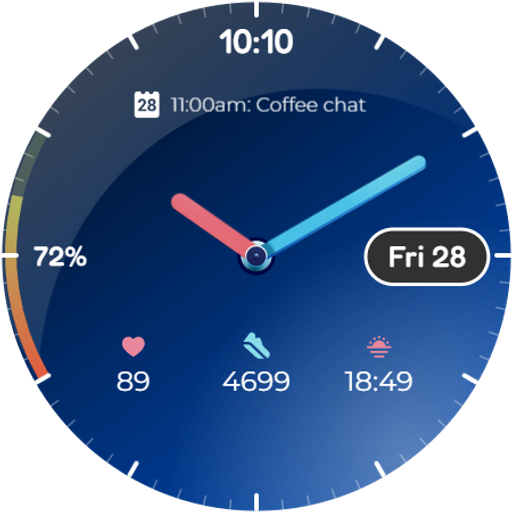
A1 Analog Watch Face for Wear OS
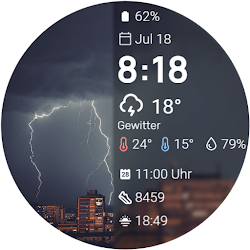
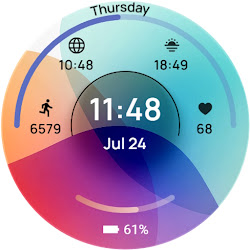
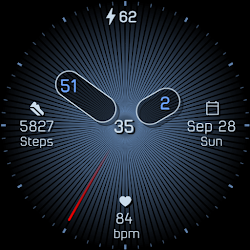
Elevate your smartwatch with the A1 Analog Watch Face for Wear OS. This clean design blends classic analog elegance with modern digital utility, offering a perfect, versatile everyday look.
Key Features:
• 4 Customizable Complications: Personalize your display with three dedicated slots to track your most important data at a glance.
• Customizable Backgrounds and Colors: Match your style effortlessly by choosing from multiple stylish backgrounds and vibrant accent colors.
• Always On Display: Keep your time and essential data visible with a sleek, battery-efficient dark mode.
Smart Shortcut System:
Enjoy quick access to your most-used features with intuitive tap zones:
• Alarm functions.
• Calendar.
• Battery status.
Installation:
1. Ensure your watch is connected via Bluetooth.
2. Download from the Google Play Store.
3. Long-press your watch screen, scroll to the end, and select the watch face to apply.
Compatibility:
Designed exclusively for Wear OS 5+ devices, including:
• Samsung Galaxy Watch 8 & Ultra
• Google Pixel Watch 4
• And other newer devices running Wear OS 5 or higher.
Elevate your smartwatch with the A1 Analog Watch Face for Wear OS. This clean design blends classic analog elegance with modern digital utility, offering a perfect, versatile everyday look.
Key Features:
• 4 Customizable Complications: Personalize your display with three dedicated slots to track your most important data at a glance.
• Customizable Backgrounds and Colors: Match your style effortlessly by choosing from multiple stylish backgrounds and vibrant accent colors.
• Always On Display: Keep your time and essential data visible with a sleek, battery-efficient dark mode.
Smart Shortcut System:
Enjoy quick access to your most-used features with intuitive tap zones:
• Alarm functions.
• Calendar.
• Battery status.
Installation:
1. Ensure your watch is connected via Bluetooth.
2. Download from the Google Play Store.
3. Long-press your watch screen, scroll to the end, and select the watch face to apply.
Compatibility:
Designed exclusively for Wear OS 5+ devices, including:
• Samsung Galaxy Watch 8 & Ultra
• Google Pixel Watch 4
• And other newer devices running Wear OS 5 or higher.
Follow VG Faces — new faces in your inbox
One email per day at most — a single digest of yesterday's newly indexed watch faces from all developers you follow. Double opt-in, one-click unsubscribe, nothing else ever.
More from VG Faces